

Printing / Accessing Travel Certificates
Find and print the vaccination certificate for a completed travel vaccination consultation.
Travel vaccination certificates can be accessed once the consultation and supply have been completed.
To find the certificate
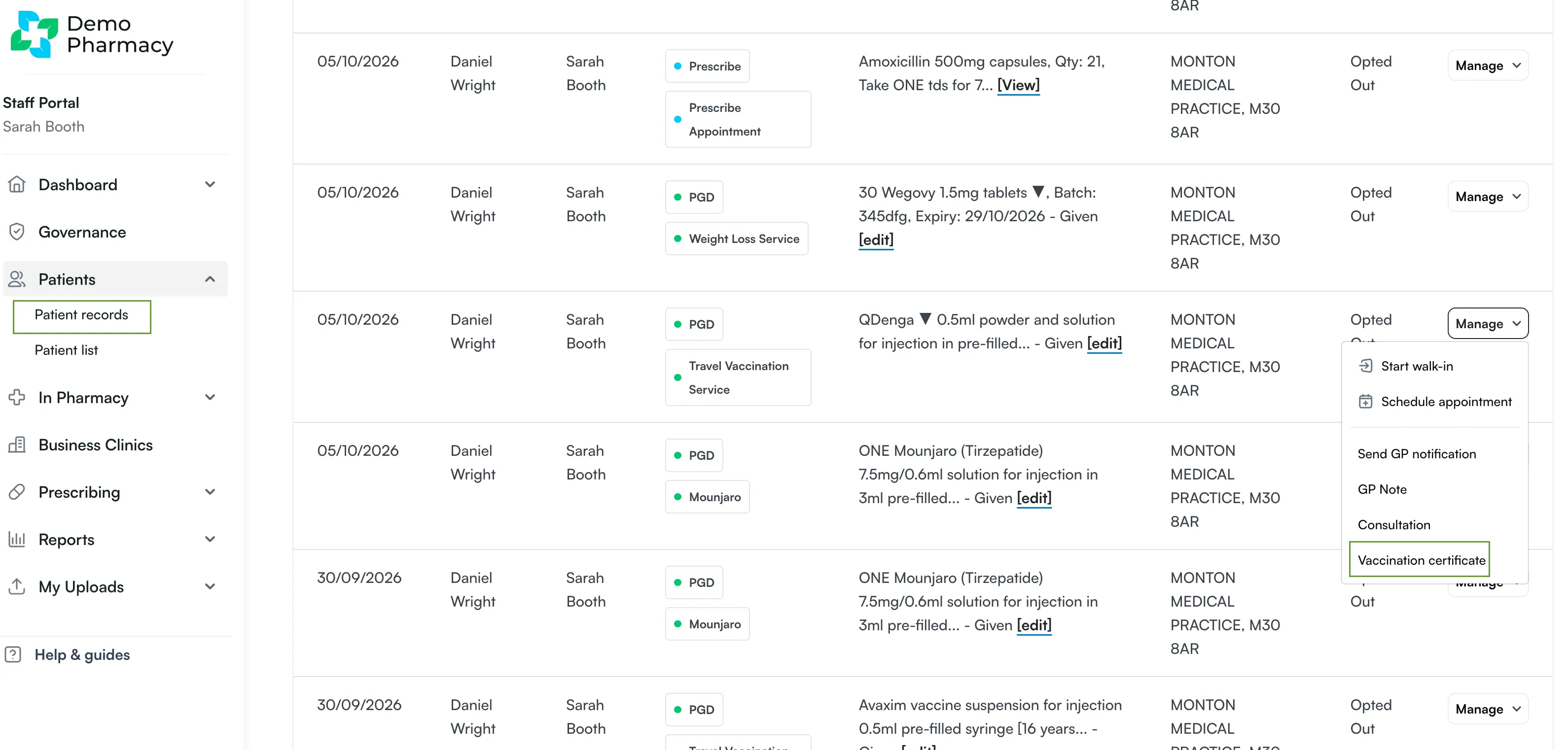
Section titled “To find the certificate”- Open the Patient Record for the consultation.
- Select Manage.
- Select Vaccination certificate.
Can’t see Vaccination Certificate?
Section titled “Can’t see Vaccination Certificate?”If you don’t have the option to view the vaccination certificate, this setting won’t be turned on in your head office account. Please contact your head office account holder(s) and ask them to turn this toggle on via the ‘edit service’ page of the service.