IP Bridge
The IP Bridge is a powerful clinical tool that allows you to convert a PGD-led consultation into an Independent Prescriber (IP) led consultation in real-time. This ensures that patients who fall just outside of standard PGD inclusion criteria can still receive the care they need without being turned away.
Purpose & Use Cases
The IP Bridge facilitates a seamless handover between a Service Provider (Pharmacist) and an Independent Prescriber to issue a Private Prescription (PSD) when a PGD is not legally applicable.
Common Use Cases:
- Maternal Health: Pregnant patients requiring vaccinations that sit just outside the specific PGD inclusion criteria.
- Weight Management: Continuing treatment for a patient whose BMI has dropped below 25, where PGDs typically cease to apply, but clinical evidence supports continued maintenance.
Current Limitations
- Single Services Only: The IP Bridge does not currently support "Multi-services" (e.g., the Travel Vaccination Service) due to their clinical complexity. Development for this is slated for later in 2026.
- Workaround: Start individual consultations for each specific service if the IP Bridge is required.
- Formulary Restriction: Prescribers can only prescribe items currently listed within the PGD for that specific service.
The IP Bridge Workflow: Step-by-Step
Using the example of a Weight Management Follow-up, here is how the bridge functions:
1. Initiation by the Service Provider
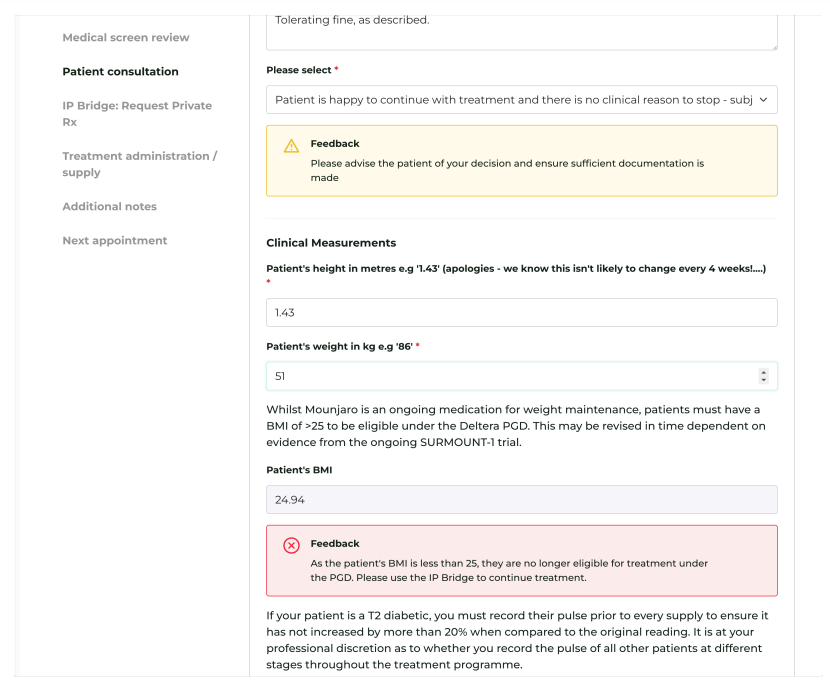
If a patient is no longer eligible for a PGD (e.g., their BMI is now <25), the pharmacist completes the consultation as normal, recording all observations (pulse, etc.) and confirming tolerance.
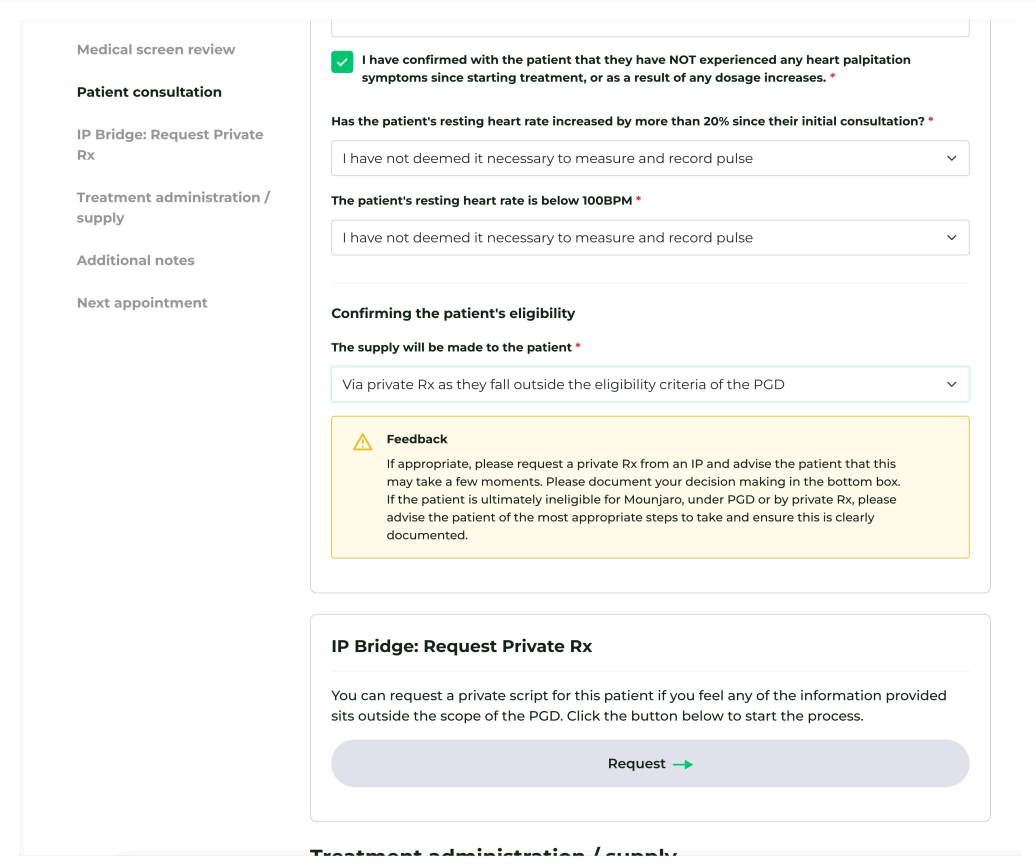
- Action: Select 'Private Prescription' from the route dropdown menu (instead of PGD).
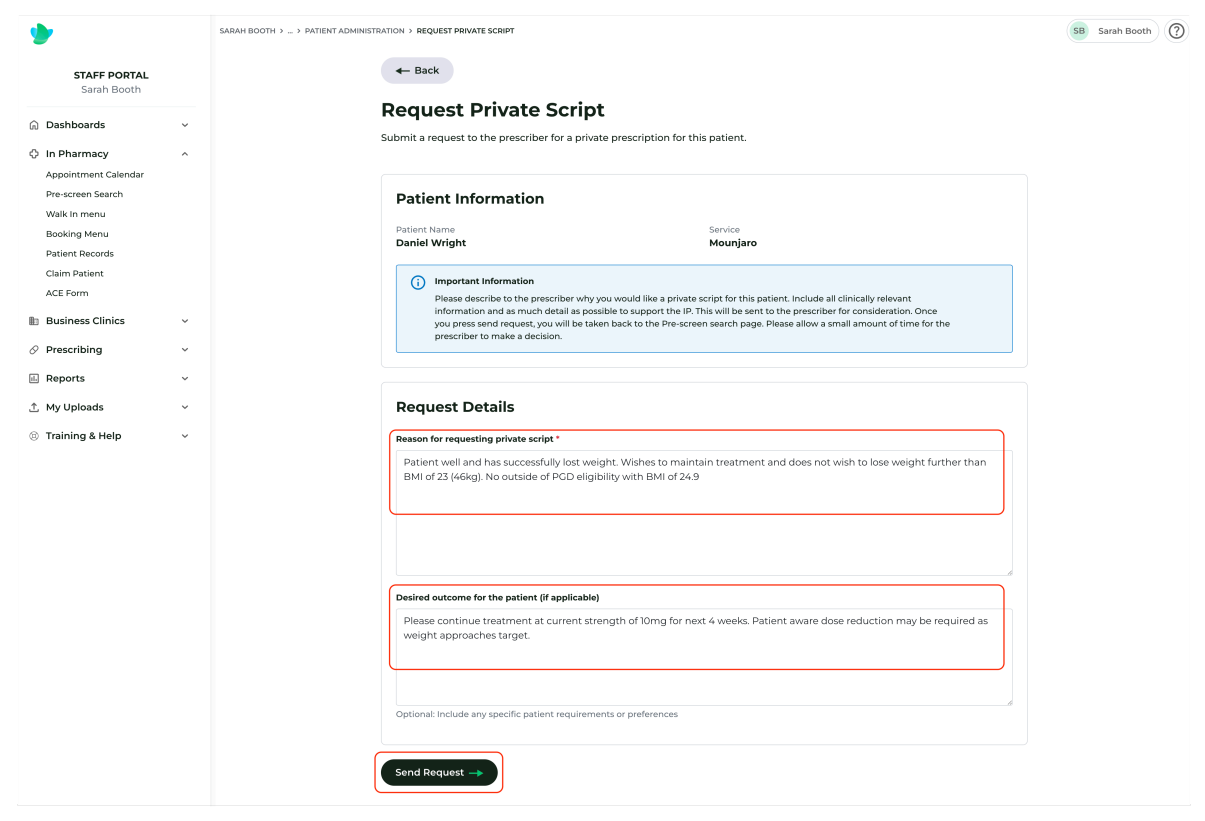
- Request: Click ‘Request’.
- Rationale: You must outline a detailed clinical rationale for the private Rx and the desired outcomes. This is logged in the Rx Breakdown at Head Office for audit purposes.
2. The Locking Mechanism
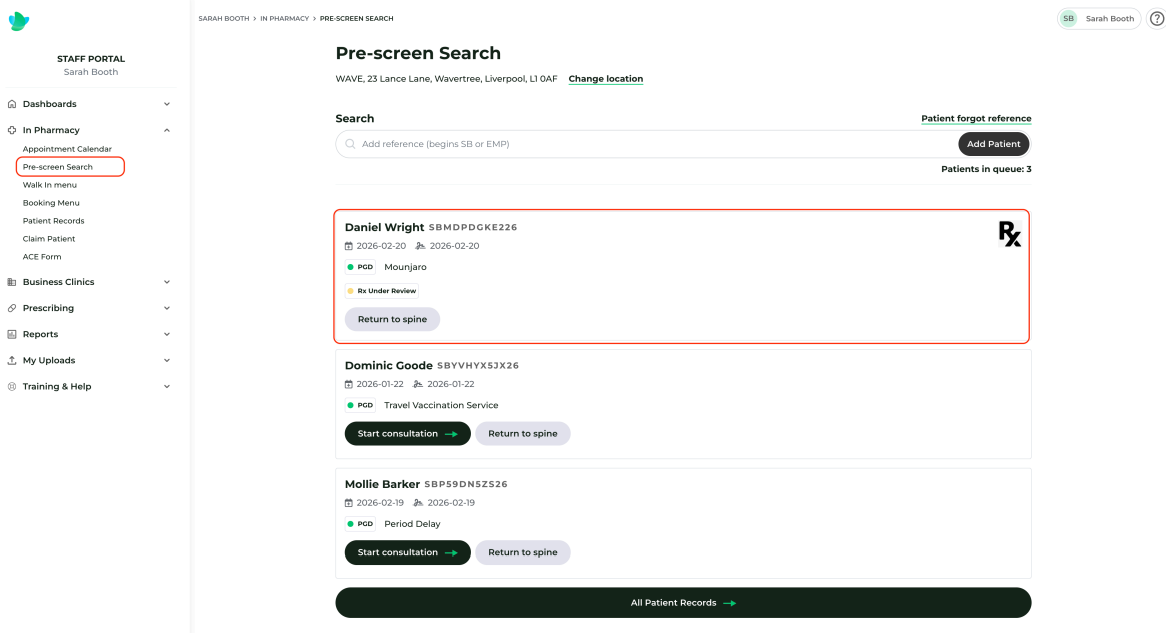
Once the request is sent, the pharmacist is returned to the 'Pre-screen Search' section.
- The consultation is locked. No further action can be taken until an IP approves or rejects the request.
3. IP Review & Notification
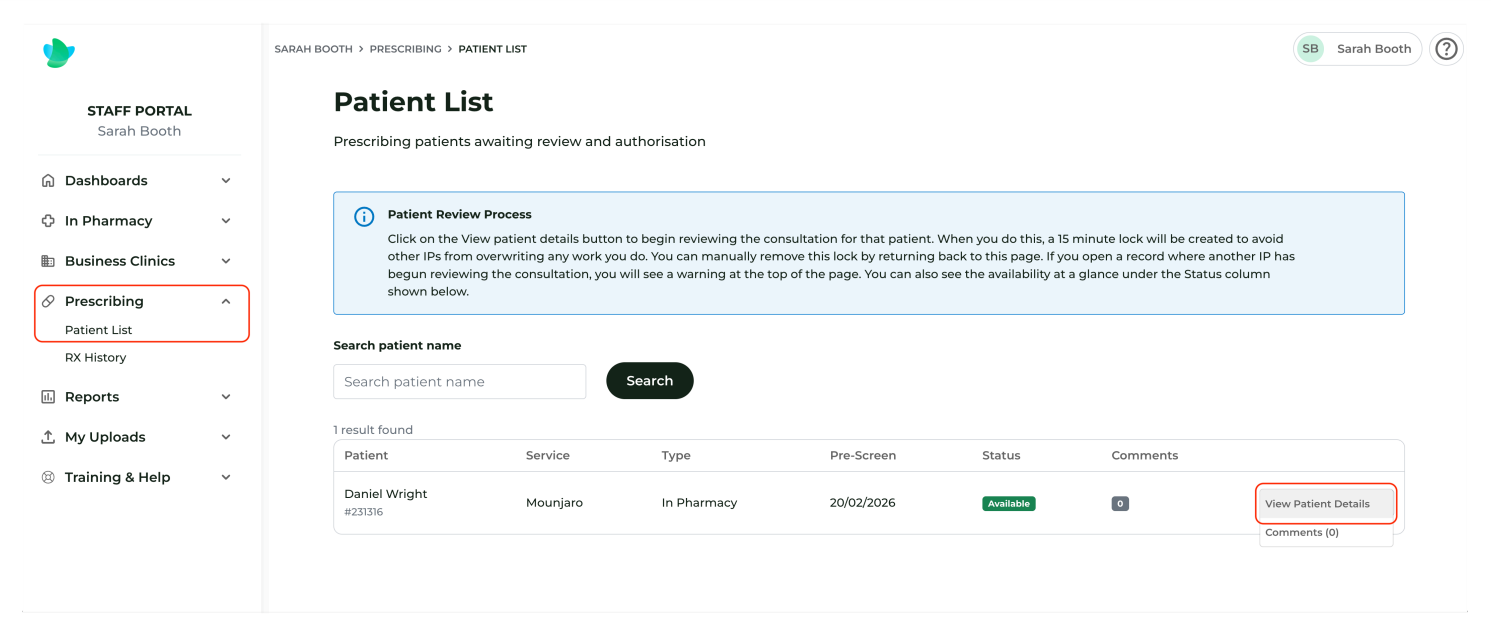
All IPs mapped to that specific service will receive an automated email notification.
- Patient List: IPs visit their Prescribing > Patient List area.
4. The Prescriber's Decision
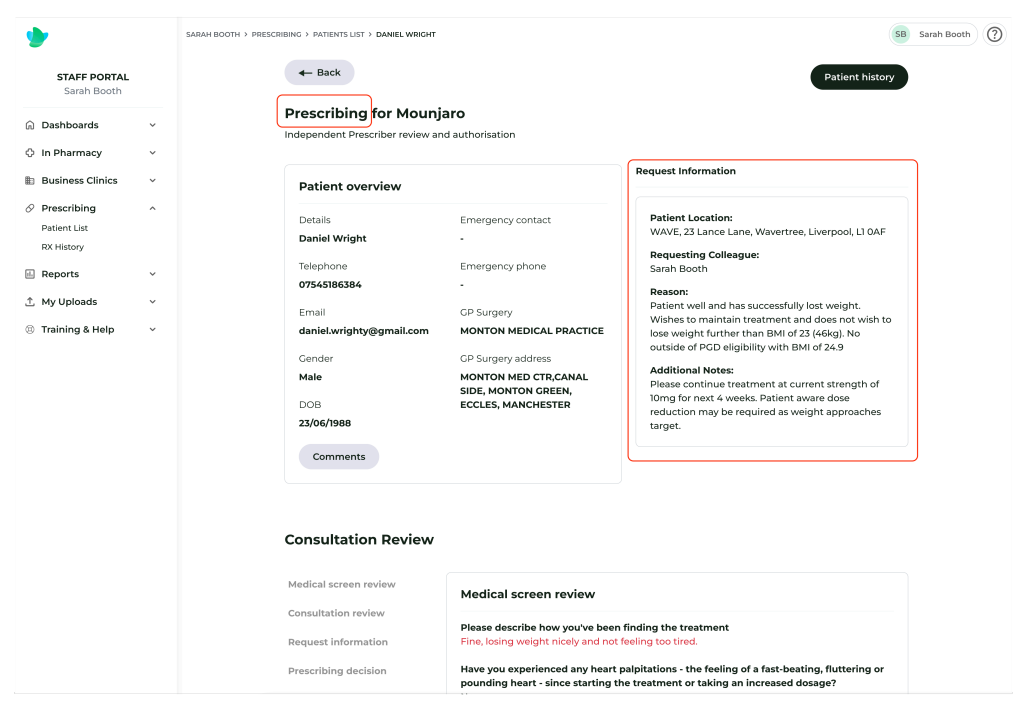
The IP sees the referring pharmacist's notes at the top of the screen. They review the consultation as if they were "standing over the shoulder" of the pharmacist in the room.
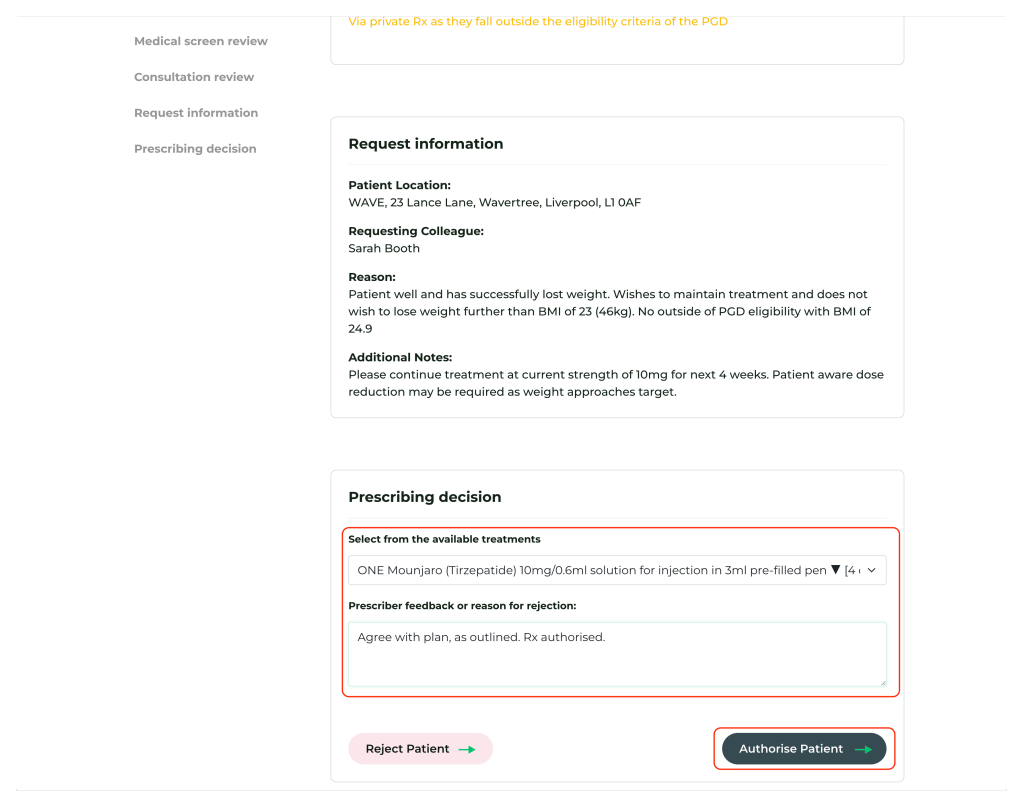
- The Decision: The IP can Authorise or Reject the request. Feedback must be provided in both scenarios.
- Item Selection: The IP selects the specific POM from the approved service list.
5. Completing the Journey
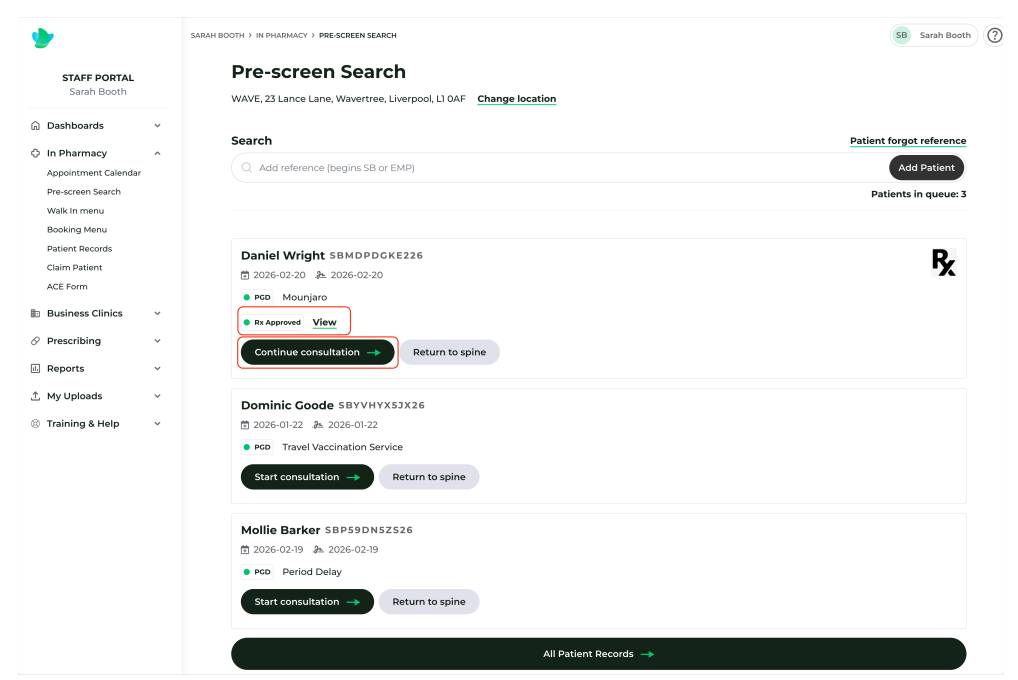
Once authorised, the status on the referring pharmacy's Dashboard updates. The Service Provider can now:
- Status Codes:
- 🟢 Available: The Rx is ready for review.
- 🟠 In Review: Another IP is already looking at this patient. If you attempt to open it, you will see a warning; you should close the tab immediately to avoid clinical duplication.
- Remote Access: IPs can review and authorise these requests from any location within the pharmacy estate.
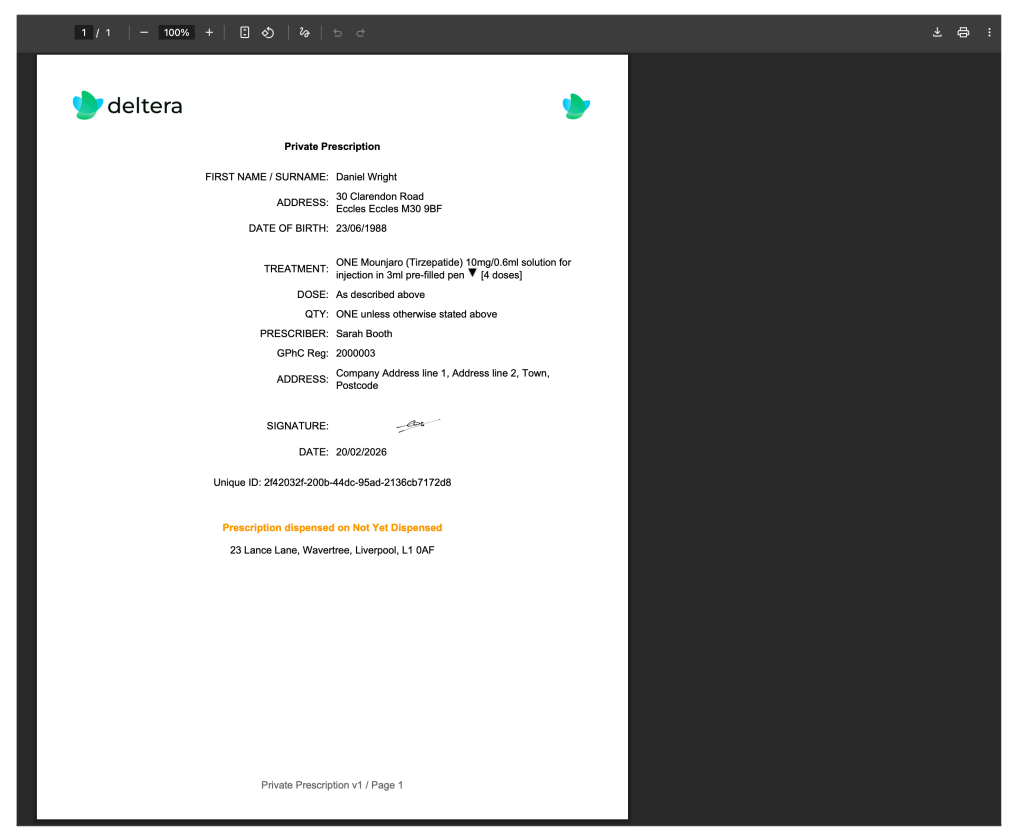
- Print the Rx: Pass the physical document to the dispensary as per your SOPs. (Status will show as 'Not yet dispensed').
- Continue Consultation: The pharmacist clicks back into the consultation.
- Locking: Previous data entered by the pharmacist is now locked because the IP based their legal decision on that specific data.
- Finalise: The pharmacist reviews any notes left by the IP, selects the treatment from the dropdown, and clicks ‘Treatment Given’.
Post-Consultation & Audit
- Records: The completed record is added to Patient Records.
- Artefacts: For IP Bridge cases, an additional Private Prescription artefact will be available under 'Manage' in the patient record.
- Head Office: All IP Bridge transactions are fully auditable from the Head Office account, showing the link between the referring pharmacist and the authorising IP.