Consultation Records and Returning Patients
Once a clinical consultation is finalised—regardless of whether treatment was administered or clinically declined—the complete clinical entry is automatically archived for audit and continuity of care.
1. Viewing Patient Records
The Patient Records page serves as your complete clinical audit trail, displaying every past consultation recorded in your pharmacy branch.
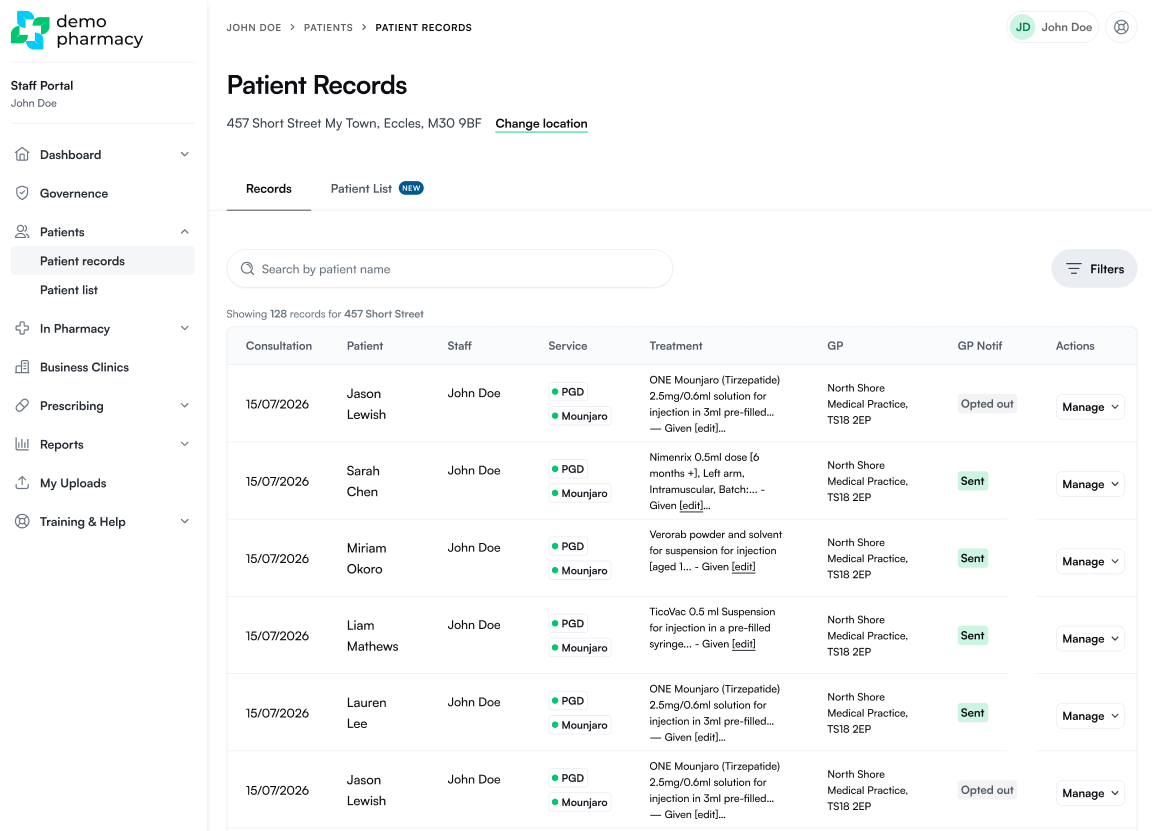
- Searching & Filtering: Locate records quickly using the patient search bar, or apply filters to narrow down entries by date range, service type, or pharmacist.
- Managing Individual Consultations: Click Manage next to any historical consultation to access key patient tools:
- Schedule or Start Walk-in: Instantly launch a new walk-in or schedule a future appointment. Selecting this automatically pre-fills all historical demographic and pre-screen data into the new booking, saving significant time.
- View GP Note: Inspect the generated notification letter intended for the patient's registered GP.
- Send GP Note: Dispatch the clinical update directly to the patient's GP practice.
- View Full Record: Download or view the comprehensive consultation summary as a formatted PDF.
- BMI & Weight Report: Access dedicated weight tracking charts and progress reports (available for weight management consultations).
2. The Consolidated Patient List
While the Patient Records page displays individual consultation instances, the Patient List view provides a clean, consolidated profile for each unique patient.
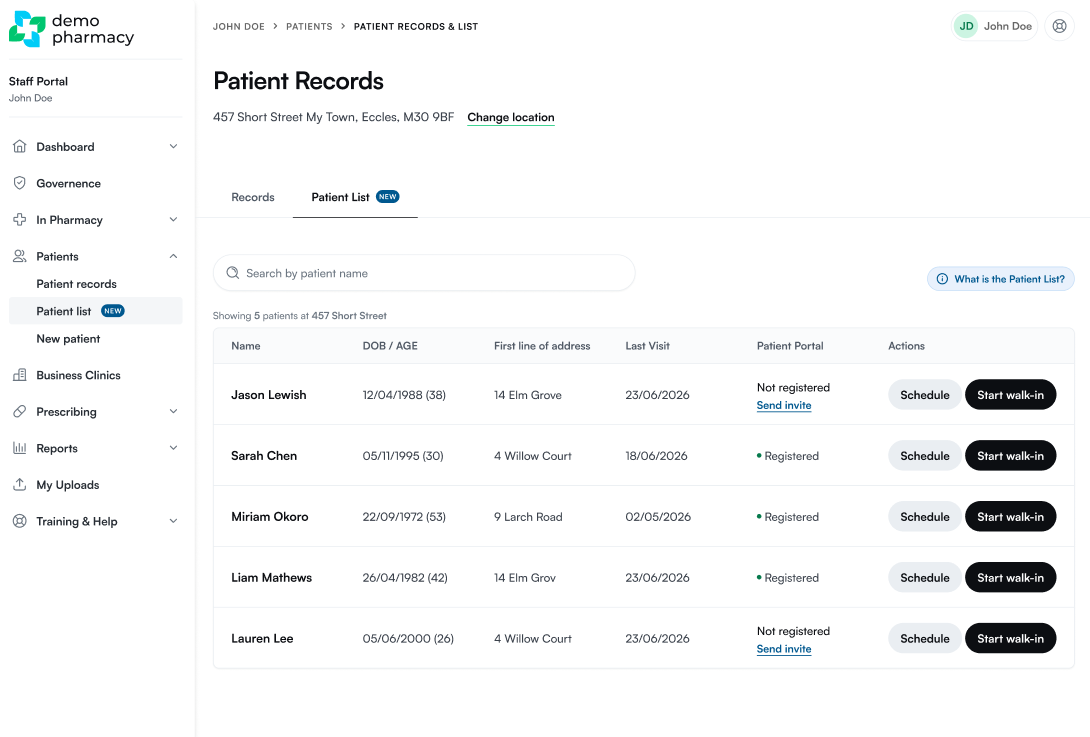
- Quick Lookup for Returning Patients: The Patient List is the fastest way to locate a returning patient when they arrive at the counter or call the pharmacy.
- Direct Actions: Use the action buttons on the right-hand side of any patient entry to instantly schedule a future booking or launch an immediate walk-in service.
3. Patient Creation Rules
⚠️ Important System Logic: A patient profile only populates in the Patient List after they have fully completed at least one clinical consultation in your pharmacy. Currently, there is no option to create a standalone, blank patient profile without first recording a completed consultation for them.