Set up patient bookings
Automate your appointment scheduling by allowing patients to book and pay for Prescribe services directly.
To reduce administrative workload and offer a modern patient experience, Deltera Prescribe allows patients to manage their own bookings. By sharing your unique booking links, you enable patients to select their own time slots and, if configured, complete their payment before they even step into the pharmacy.
How to Access Your Booking Tools
You can find your dedicated links and assets within the portal to use across your marketing materials.
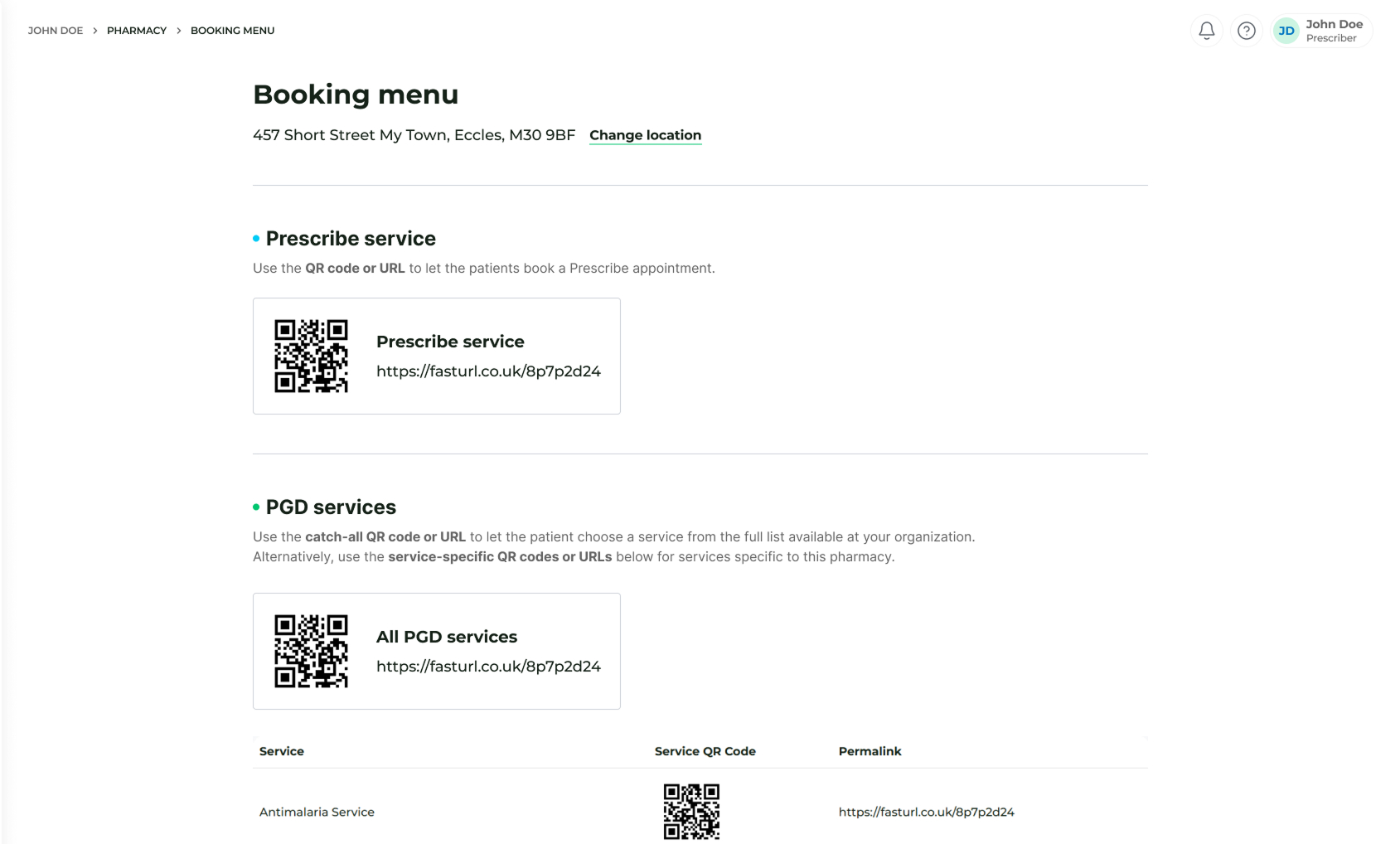
- Navigate to In Pharmacy > Booking Menu.
- Locate the Prescribe section.
- Here you will find:
- The Booking URL: A direct web link that can be embedded into your pharmacy’s website or sent to patients via email and SMS.
- The QR Code: A high-resolution image that can be downloaded and printed for physical use.
Ways to Use Your Booking Link and QR Code
We recommend placing these tools wherever a patient might look for your services:
- Your Pharmacy Website: Adding a "Book Now" button to your homepage or service pages is the most effective way to capture online interest.
- In-Store Signage: Place the QR code on posters, window displays, or counter-top stands to capture the interest of walk-in customers.
- Marketing Materials: Include the QR code on leaflets or business cards that patients can take home.
- Direct Messaging: Send the URL directly to patients who enquire about private services via phone or social media.
Integrated eCommerce
If your organisation has configured eCommerce settings, the booking link will automatically handle the financial transaction. This means the patient pays for their consultation at the time of booking, ensuring your clinic time is secured and reducing the need for till transactions upon their arrival.
