Redeeming Vouchers In-Pharmacy (Pharmacist Guide)
When an employee presents a corporate voucher code at your pharmacy counter, follow these steps to process the consultation and administer treatment.
Locating the Patient Pre-screen
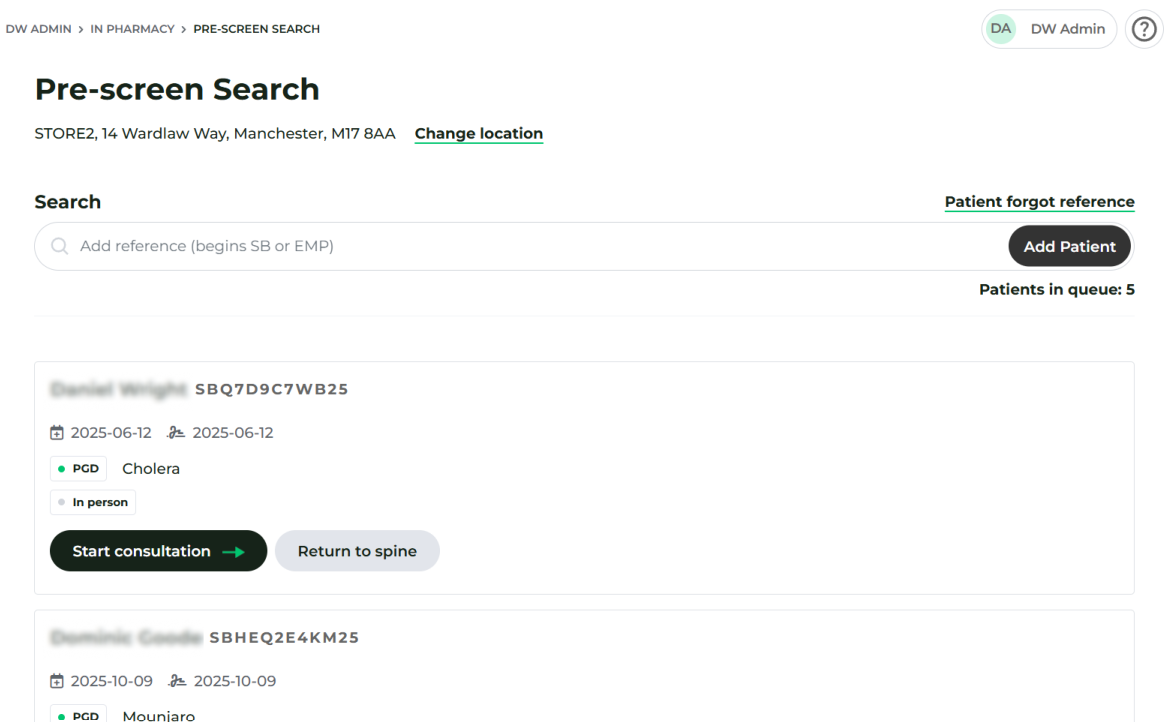
- Log in to your Pharmacist Portal and navigate to In Pharmacy > Pre-screen Search.
- Enter the Voucher Code provided by the patient into the search bar. It will start with EMP.
- This will add their pre-screen to the queue. Verify their name and click Start Consultation
- Follow this consultation as you would any other - recording treatment given.
Conducting the Consultation
- Review the pre-completed medical questionnaire on screen with the patient.
- Verify clinical eligibility under the relevant PGD / Protocol.
- Administer the vaccination and record the product batch and expiry details.
- Complete the consultation record.
⚠️ Zero-Payment Protocol Do not request payment from the patient at the pharmacy till. The voucher code covers all costs, and billing is handled centrally via Head Office invoicing.