Patient Data
The Patient Data section provides a comprehensive, centralized view of all clinical activity across your entire pharmacy estate, offering powerful tools for reporting and auditing.
I. Consultation Data
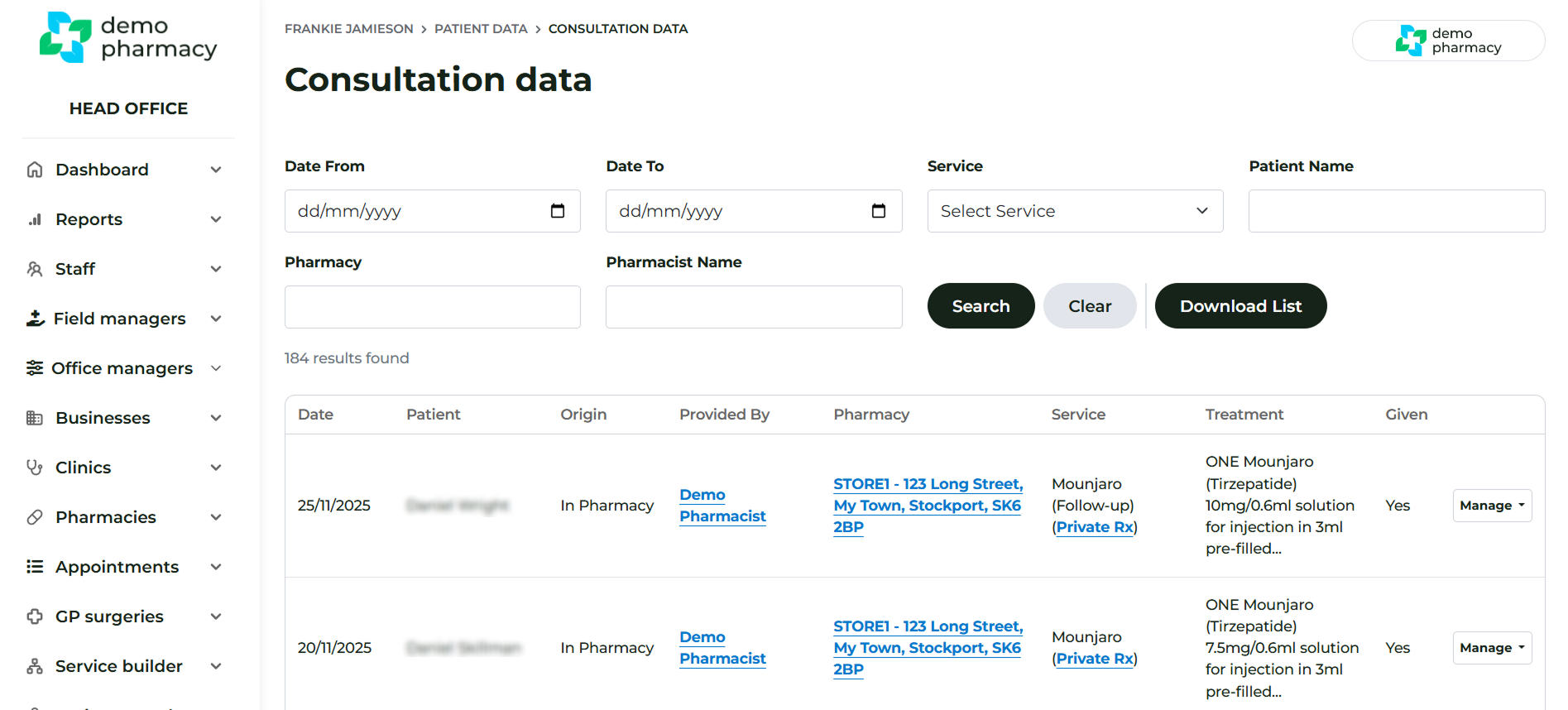
This dashboard is an amalgamation of the Patient Record areas from all your pharmacies, allowing you to see everything that has happened and is currently happening throughout your group. Navigate to Patient Data > Consultation Data
Data Overview
- Each row lists one consultation, showing: where the service occurred, by which Service Provider, and for which patient.
- Clicking ‘Manage’ grants you access to the PDF Consultation Form and the GP Notification letter.
- If a Private Rx was generated by an Independent Prescriber (IP) via the IP Bridge for a consultation, the link to the prescription can be seen in the ‘Service’ column.
Data Limits and Access
Important Server Performance Note: This dashboard is limited to the latest 10,000 records to support server performance. If your query requires data or a specific record that pre-dates the latest 10,000 consultations presented, please contact your Deltera contact for assistance.
Search and Export
- Filters: You can use the filters to run specific searches within a date range by: service, patient, pharmacy, or service provider.
- Export: Clicking ‘Download List’ will produce a CSV export of the current consultation data set.
II. Rx Breakdown (Prescription Auditing)
The Rx Breakdown dashboard provides an essential audit trail:
- This dashboard presents the real-time audit of all services that have been switched from a PGD (Patient Group Direction) to a PSD (Patient Specific Direction).
- It logs the rationale provided by the referring staff member and the final decision made by the Independent Prescriber (IP).
IP Log: Independent Prescribers also maintain their own individual log of all consultations they have prescribed for via the IP Bridge. This personal history is available in the ‘Rx History’ section, under Prescribing, within their staff account.
