Managing Businesses & Contacts
Before you can set up clinics or issue vouchers, you must register the corporate client in your system and configure their designated account contacts.
Adding a New Business & Contact Profile
Head Office > Business > Add a business
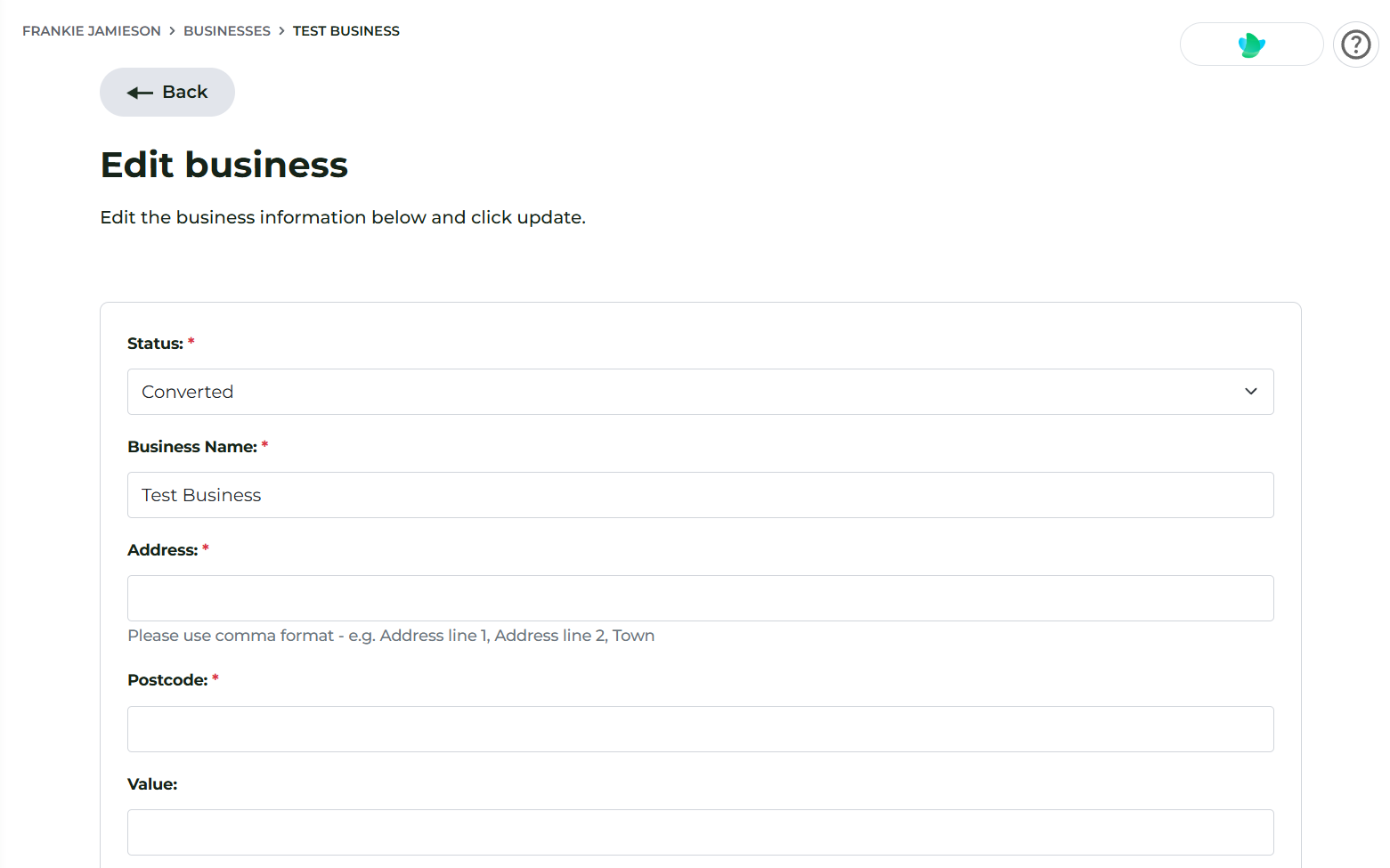
- Navigate to your business management section in Head Office.
- Click Add New Business.
- Enter the corporate entity details, including legal business name, address, and primary contact information.
- Add individual Contacts under the business profile (e.g. HR Managers, Occupational Health Leads, or Site Administrators).
You can add, edit, or delete contacts within a business profile at any time as staffing changes within their organisation.
Inviting Clients to the Business Portal
Each contact can be granted access to their own self-service portal, allowing them to monitor clinic bookings, track voucher redemptions, and view order histories.
Note: Inviting a business to the portal is optional. You can generate vouchers on their behalf without them needing to login.
To sign them up:
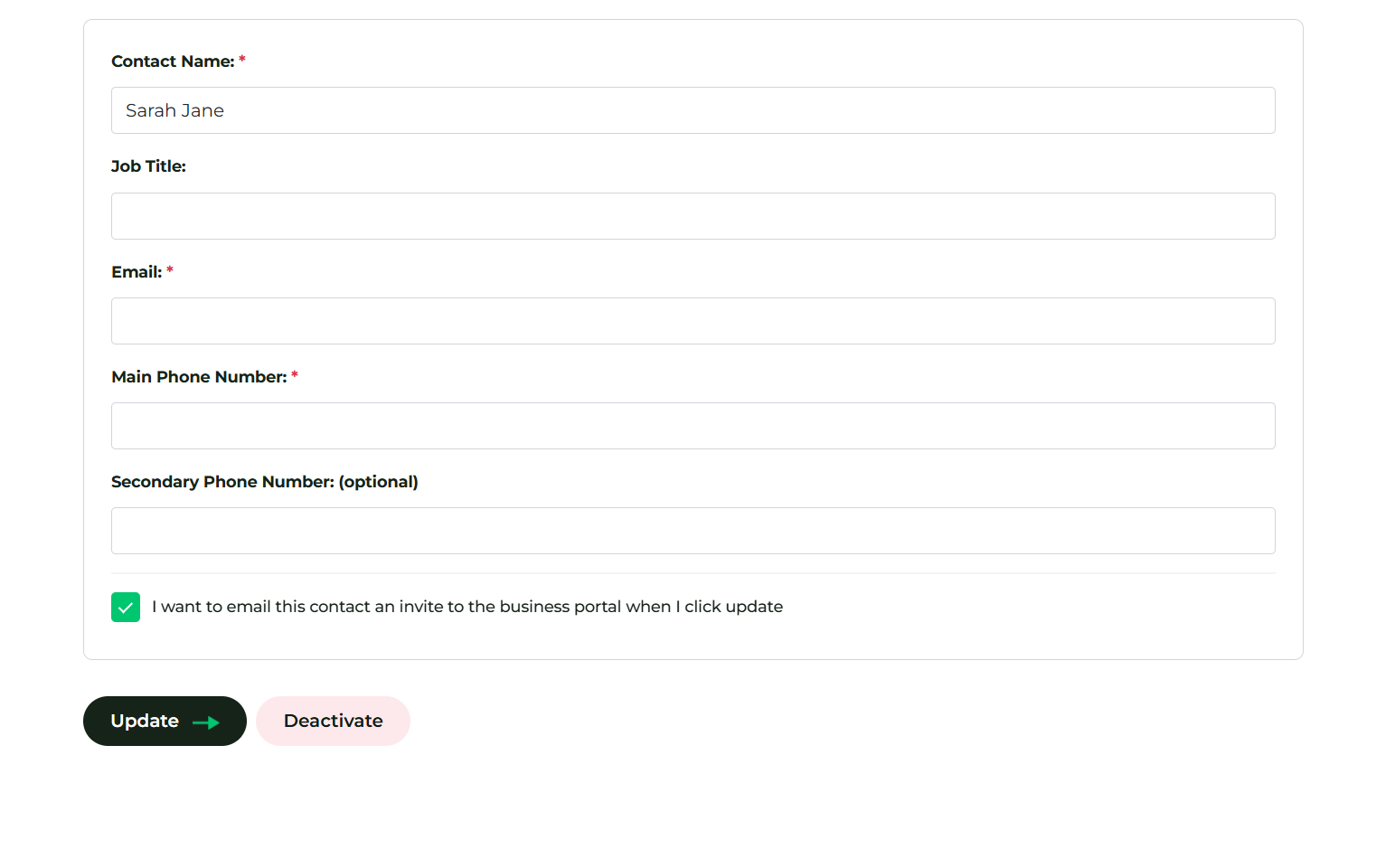
- Navigate to Business & Contacts > Select the business and click Manage > Contacts.
- Next to the Contact, click Edit.
- Scroll to the bottom, check 'I want to email this contact a business portal invite'
- Click Update
- The contact will receive an automated onboarding email containing a secure registration link.
- The client clicks the link, sets their account password, and completes their registration.
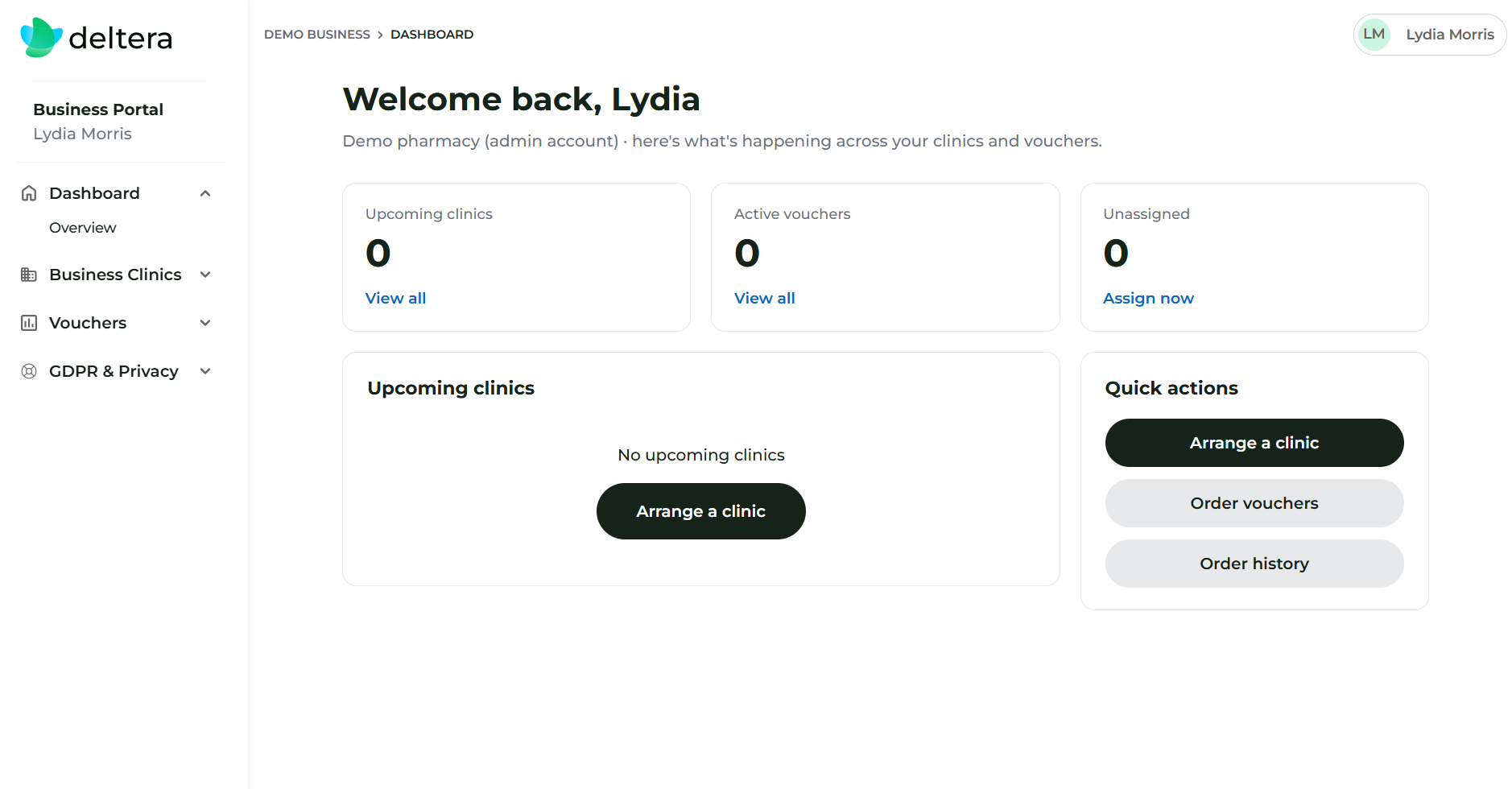
Once registered, corporate clients can log in directly to their dedicated dashboard at: deltera.cloud/business
Get in touch
For all technical enquiries and system support, please email us at:

Are you a Well pharmacist?
For technical enquiries and system support specific to Well Pharmacy locations, please email Central Support at:

Need to speak with someone?
For technical enquiries and system support specific to Uniphar Pharmacy locations, please email Central Support at: