Start a walk-in appointment
Process an immediate consultation for a patient arriving in the pharmacy without a prior booking.
Deltera Prescribe allows you to transition a patient from the counter to a clinical consultation seamlessly. If a patient requires a private prescribing service immediately, there are two primary ways to initiate a walk-in appointment.
Method 1: Using the Walk-In Menu
This is the most direct route when handling patients physically present in the pharmacy.
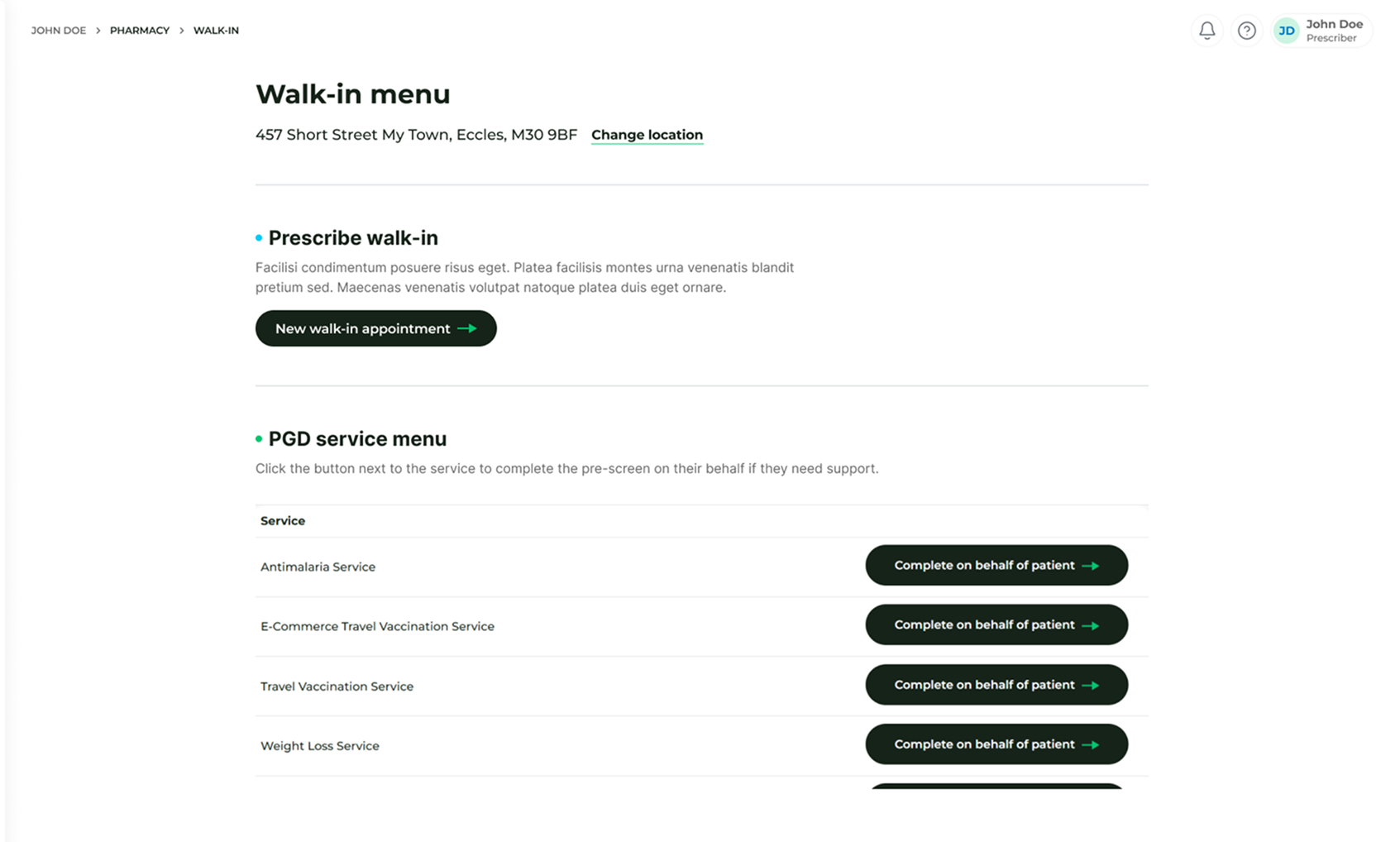
- Navigate to In Pharmacy > Walk-In Menu.
- Locate the Prescribe Walk-in section.
- Click the 'New walk-in appointment' button.
Method 2: From the Main Dashboard
You can also initiate the process from your central overview screen.
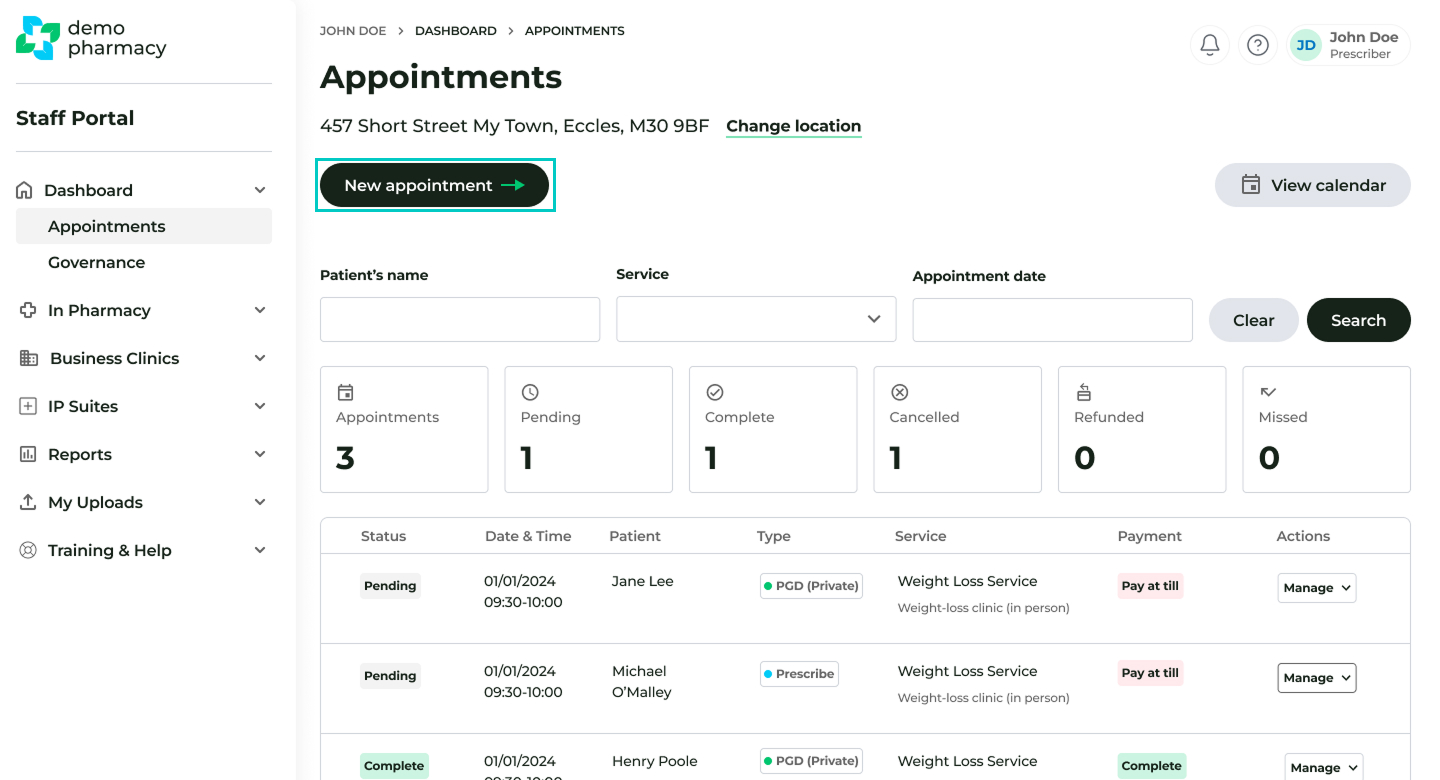
- Navigate to the main Dashboard.
- Click the 'New appointment' button.
- Select Prescribe as the appointment category.
- Choose the option to 'Start the appointment immediately'.
Completing the Setup
Regardless of the method chosen, the system will guide you through the following final steps:
- Patient Details: You will be prompted to enter basic information about the patient to create or identify their record.
- Price Confirmation: The system will confirm the price associated with the specific Prescribe appointment type.
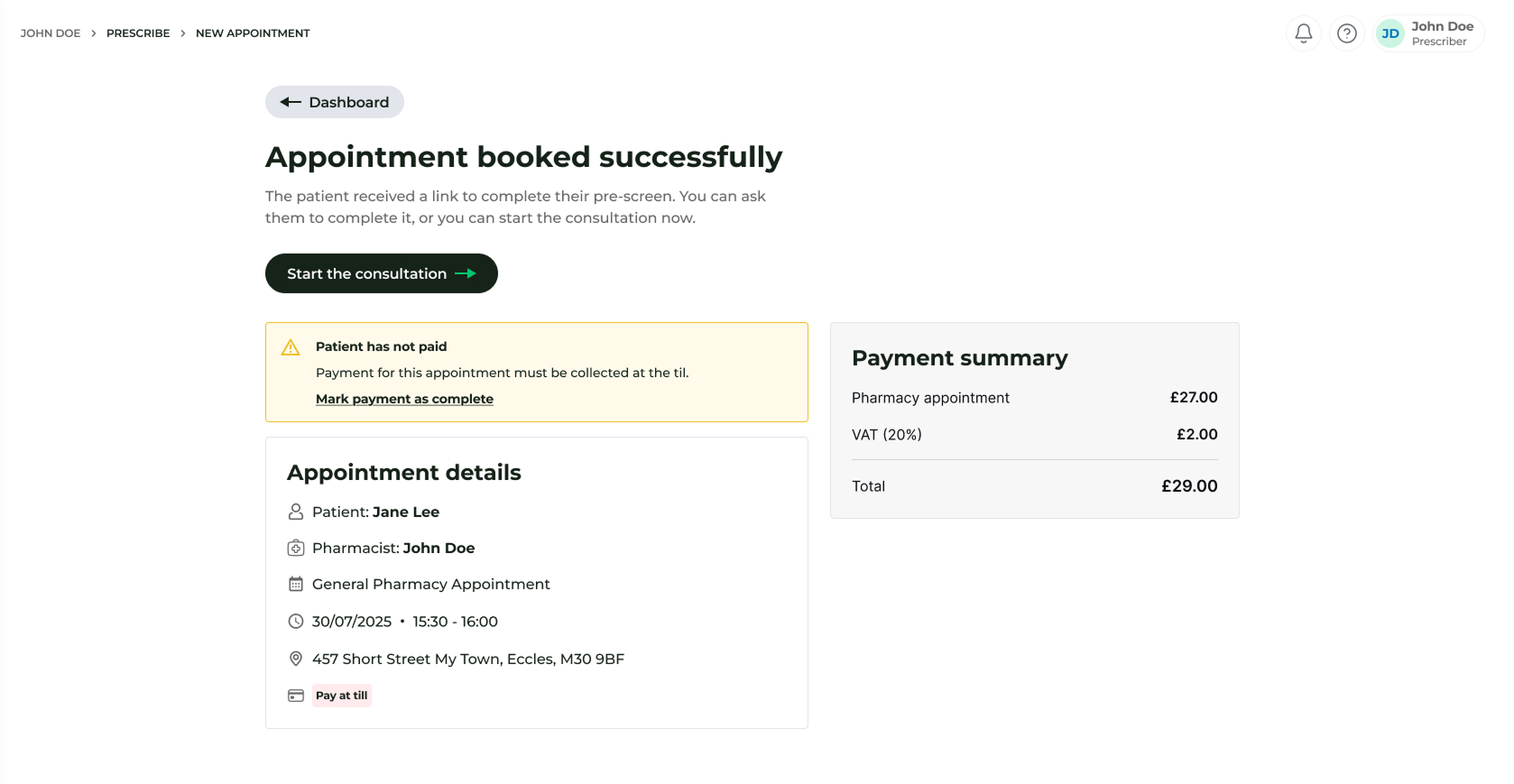
- Initiate Consultation: Once the appointment is created and confirmed, click 'Start the consultation' to begin the clinical assessment immediately.