Clinical questions
The clinical questions section is designed to guide you through a robust clinical assessment while remaining flexible enough to accommodate your professional judgement.
1. Presenting Complaint & History
The consultation begins with a Presenting Complaint section. This is a versatile, free-type box where you can record the narrative of the patient's visit. It is structured to help you capture:
- The Complaint: A clear statement of the primary issue.
- History of Presenting Complaint (HPC): The timeline, onset, and nature of the symptoms.
- Ideas, Concerns & Expectations (ICE): A dedicated space to note what the patient thinks is happening and what they hope to achieve from the consultation.
- Further Information: Any other clinical nuances relevant to the case.
2. Clinical Observations (BMI & NEWS2)
This section is optional but highly recommended for acute or weight-related services. The platform includes built-in calculators to ensure accuracy:
- BMI Calculator: Input the patient's height and weight; the system will automatically calculate and record the BMI.
- NEWS2 Calculator: Input physiological observations (such as heart rate, blood pressure, and respiratory rate).
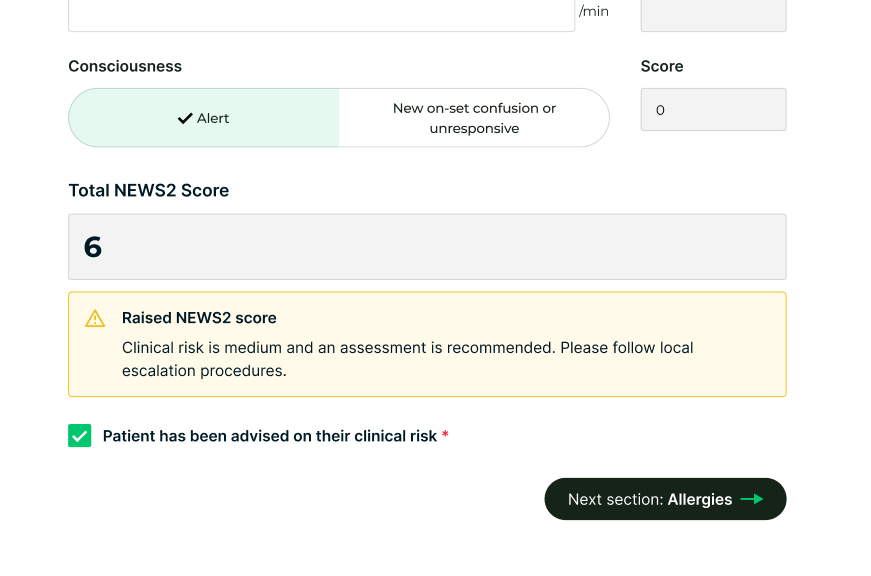
- Automatic Scoring: The system calculates the NEWS2 score in real-time.
- Safety Alerts: If a high NEWS2 score is recorded, the platform will trigger an immediate alert on-screen, providing you with guided next steps for escalation or emergency care.
3. Clinical History & Context
To build a full picture of patient safety, you will move through the following tabs:
- Allergies: Review and confirm any drug or environmental allergies (often pre-filled from the pre-screen).
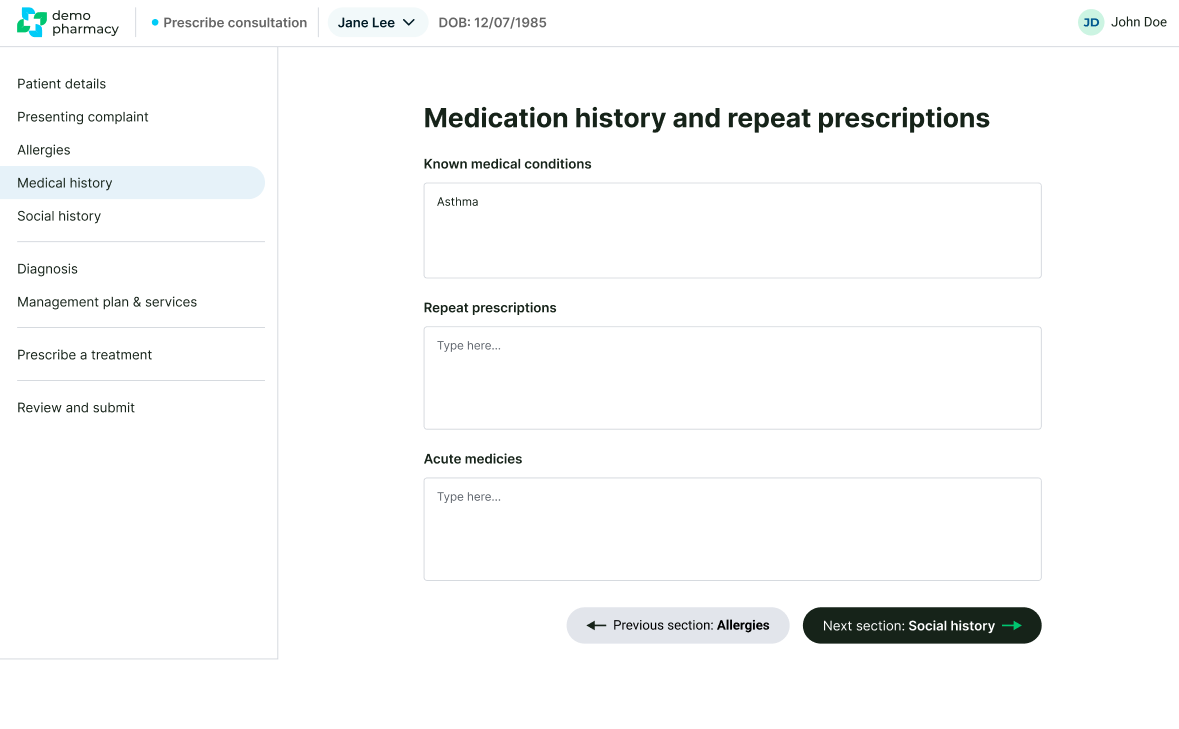
- Medical History: Record relevant past or current conditions.
- Repeat Prescriptions: Note any regular medications the patient is currently taking to avoid contraindications or duplication of therapy.
- Social History: Capture lifestyle factors such as smoking status, alcohol intake, or occupation where relevant to the clinical picture.
Clinical Tip: The Power of Pre-fill
Remember, many of these sections (like Allergies and Medical History) will already contain data provided by the patient during their pre-screen. Your role here is to verify and expand on this information, not re-type it from scratch.
