Calendar & Service Availability
This functionality is available only to users who have access to Deltera Appointments / Services Diary.
Viewing Upcoming Appointments
You have two main methods for viewing your pharmacy's schedule:
Method 1: Appointments Dashboard (List View)
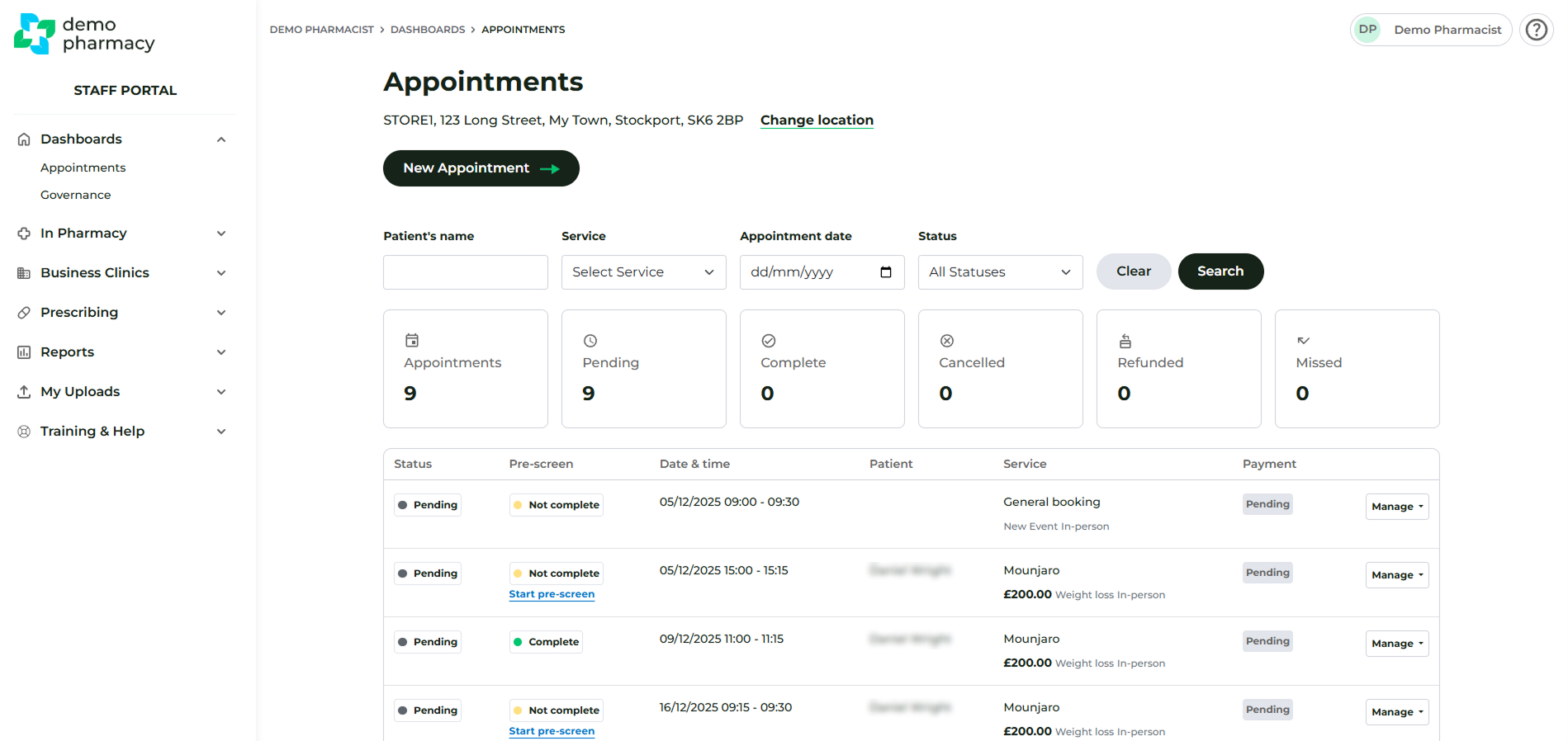
- Navigate to Dashboard > Appointments.
- Default View: By default, this screen displays a list of all upcoming appointments for your specific pharmacy branch (not just your personal bookings), ordered from soonest to furthest away.
- Filtering: You can use the filters at the top of the page to look for previous or archived appointments.
Method 2: Appointments Calendar (Calendar View)
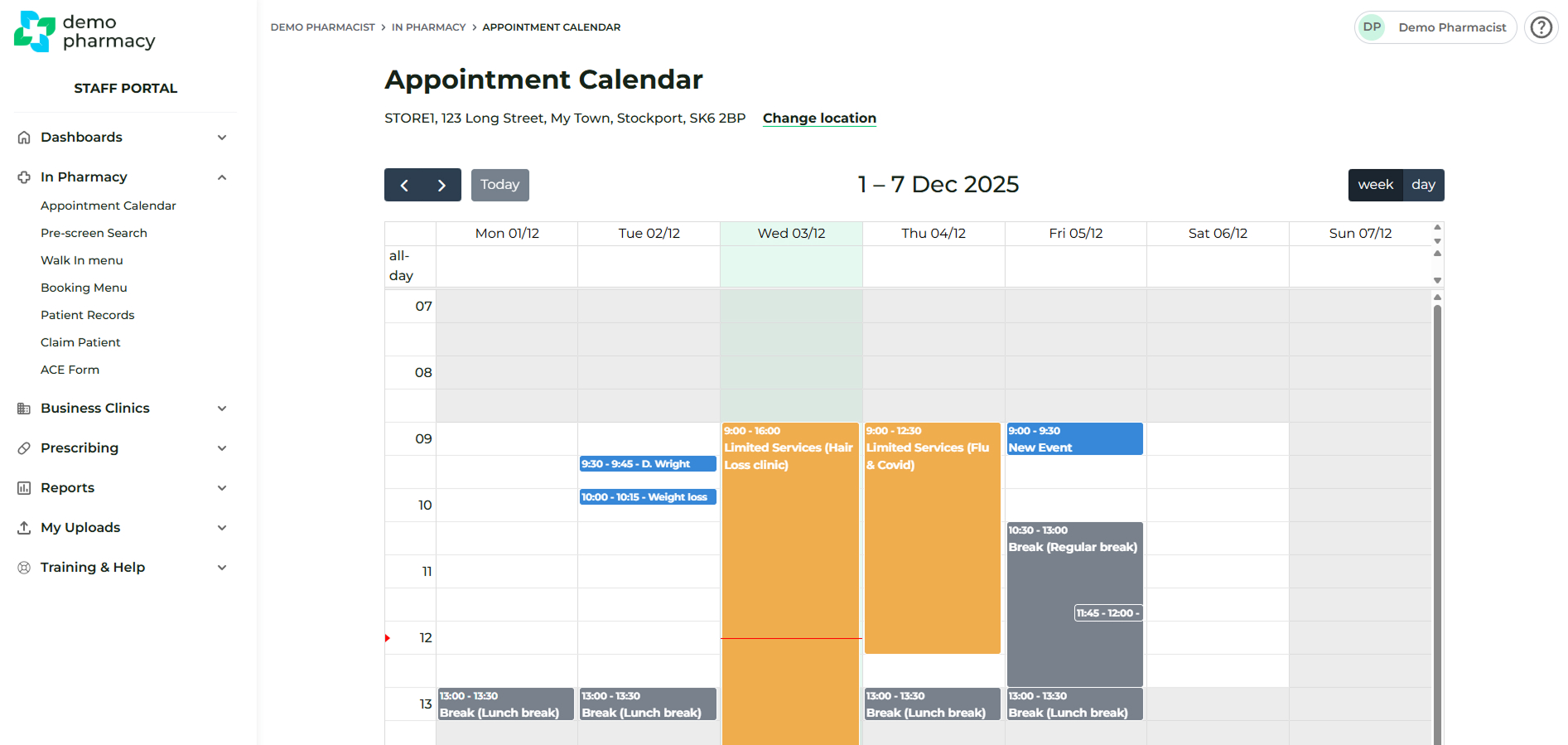
- Navigate to In Pharmacy > Appointment Calendar.
- Default View: This screen shows a calendar view of the current week's appointments.
Managing Branch Opening Hours
The opening hours set within your pharmacy profile are the "master settings" the system uses to provision appointment availability to patients.
- Adjusting Timings: If you do not provide appointments beyond a certain time (either for the whole week or on a particular day), please adjust these timings in the Edit Pharmacy section of the Manager / Head Office account.
- 24-Hour Format: All timings must be entered in a 24-hour format (e.g. enter 19:00 if the pharmacy stops appointments at 7pm).
⚠️ Important: Same Day Bookings
By default, same day bookings are switched off for all services. This is designed to give pharmacists sufficient lead time to prepare for consultations and manage their daily workload without unexpected additions to the diary.
If your organisation prefers to allow patients to book appointments for the current day, this must be enabled manually within the Head Office settings for each individual service.
How to enable Same Day Bookings for a service:
- Log in to your Head Office account.
- Navigate to Service Builder > Services.
- Find the specific service you wish to update and click Edit.
- Scroll to the configuration options and check the box labelled 'Allow same day bookings'.
- Click Save/Update at the bottom of the page.
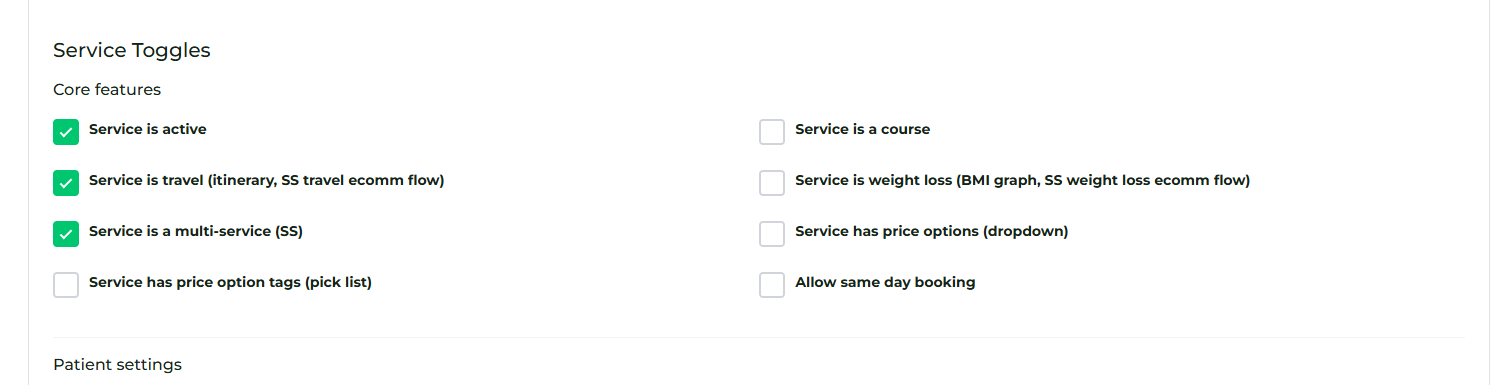
Once this is checked, the service will immediately become available for patients to book on the same day, provided there is an open slot in the pharmacy's appointment calendar.
Refining Availability: Breaks & Limited Services
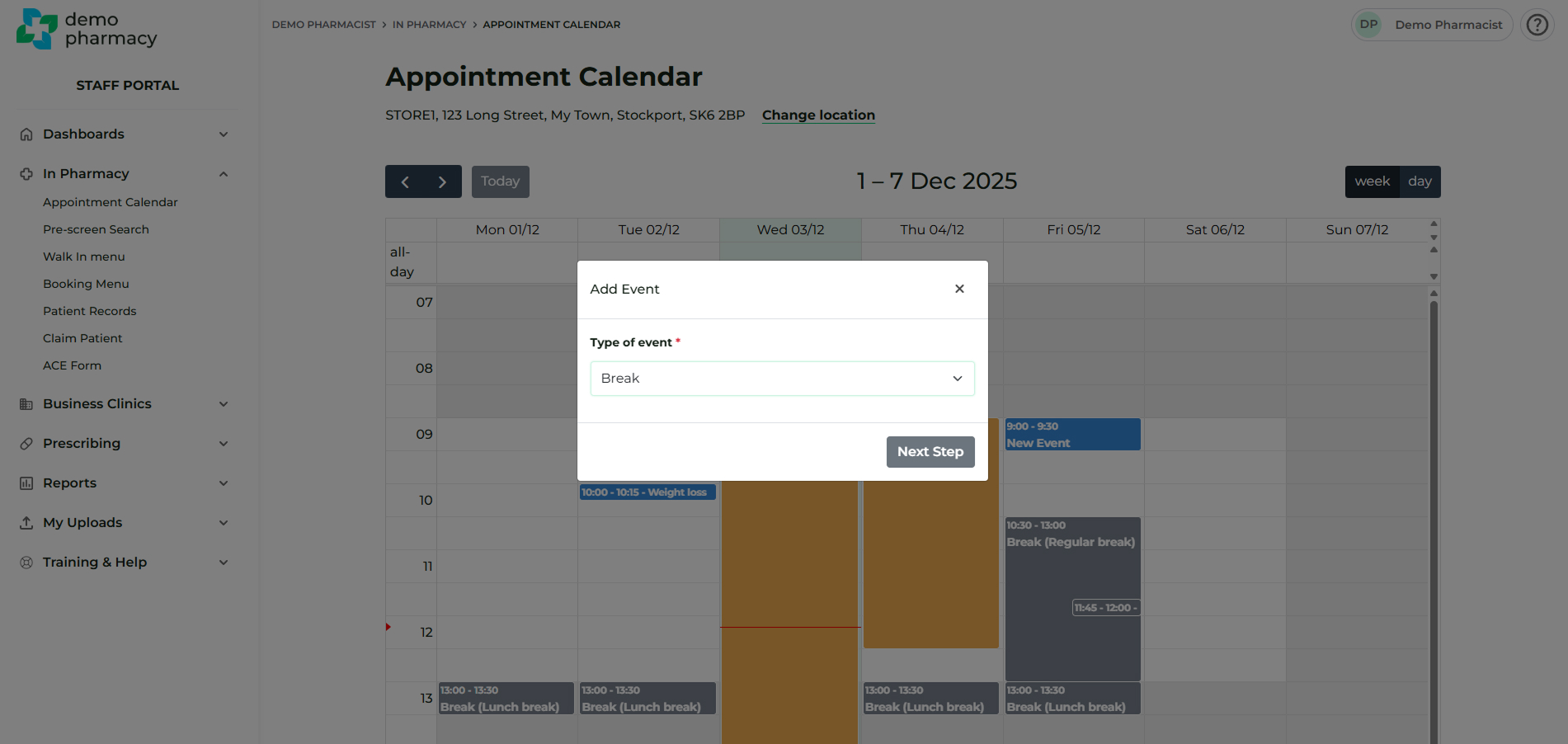
By left-clicking on any available time slot in the Appointment Calendar, you can manage your daily capacity beyond your standard opening hours.
Break Events
Booking a Break (e.g. for a lunch hour or staff meeting) acts as a total block. It prevents any service from being booked in that specific time slot.
Limited Services (Staff Rotas)
This tool allows you to control exactly which services are available during specific times. You can create recurring events (with an optional end date) to align the system with your pharmacist rota.
- Example Scenario: If a specific pharmacist works every Friday but only provides Weight Management services, you can create a Limited Services event for that day.
- By selecting only the Weight Management service, you ensure patients cannot book other services (like Travel or Ear Wax Removal) when the qualified clinician is not on-site.
💡 Clinical Tip: We recommend pharmacists use the Preview function (available by clicking an appointment in the Calendar) to review patient history and allergies before the patient arrives. This allows you to research specific clinical guidelines in advance if a complex case is identified.