Independent Prescriber (IP) Features
Review private prescriptions and patient history.
Independent Prescribers have access to unique clinical tools within their account to facilitate the IP Bridge workflow. This allows for consultations that fall outside the scope of a standard PGD to be reviewed and converted into a Private Prescription.
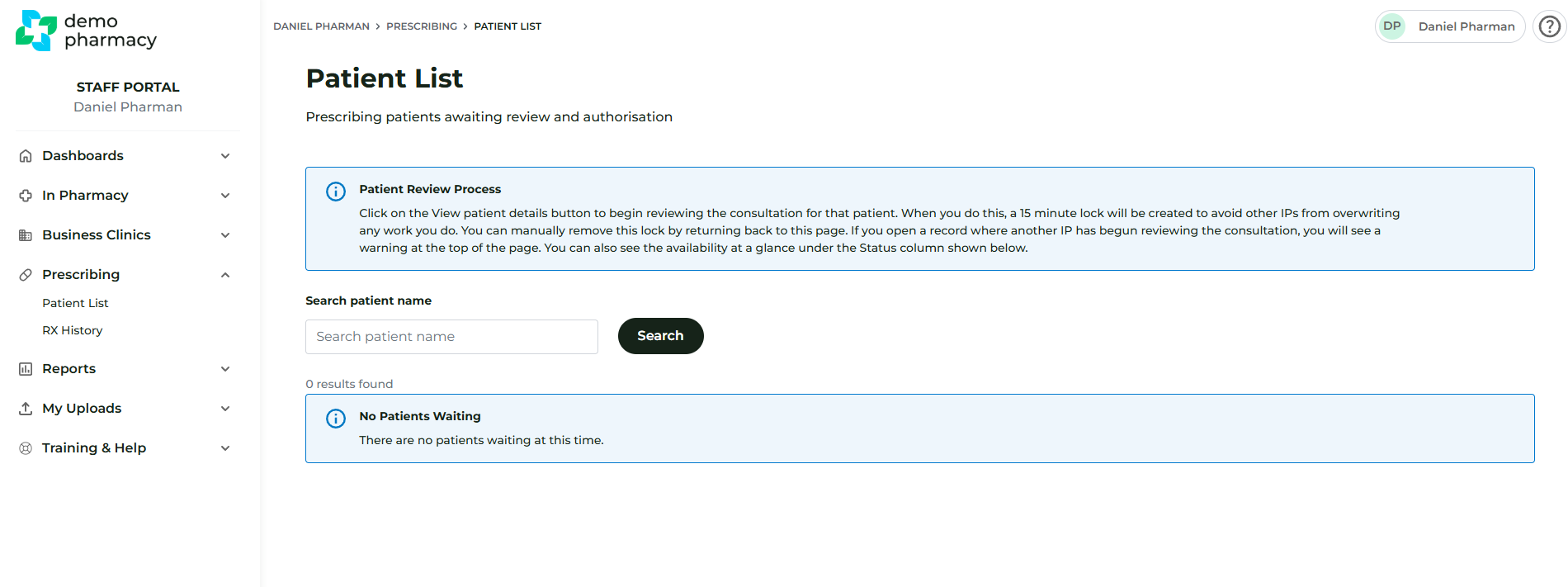
The ‘Prescribing’ Tab
Once logged in, IPs will see an additional ‘Prescribing’ tab in their main navigation menu. This contains two key areas:
1. Patient List (Consultation Review)
This list displays all consultations that require an IP’s intervention. These are cases where a patient has fallen out of the scope of a PGD and has been referred by a pharmacist for a potential Private Prescription (PSD).
- Reviewing: Click ‘View’ next to a patient to review the full consultation notes and clinical data.
- Action: After reviewing, the IP can decide whether to issue a private prescription.
- The Locking Mechanism: To prevent multiple IPs from working on the same case simultaneously, all IPs see the same master list. When an IP opens a consultation to review it, that record is ‘locked’ for 15 minutes. During this time, other IPs will be unable to edit or process that specific patient.
2. Rx History
The Rx History tab serves as a personal clinical audit trail for the IP.
- It displays a comprehensive list of all previous Private Prescriptions the IP has issued through the system.
- This ensures that the IP has a clear record of their prescribing decisions for accountability and follow-up care.
Note for Managers: Ensure your IPs are correctly mapped to the services they are expected to prescribe for, otherwise consultations will not appear in their Patient List.