Complete PGD training, add signature and declare competence
Before administering treatments you must complete training, sign any relevant Patient Group Directions (PGD) and declare your competence.
Navigate to Staff Portal > Dashboard > Governance
Here you will see the training that needs to be completed for the different PGD categories.
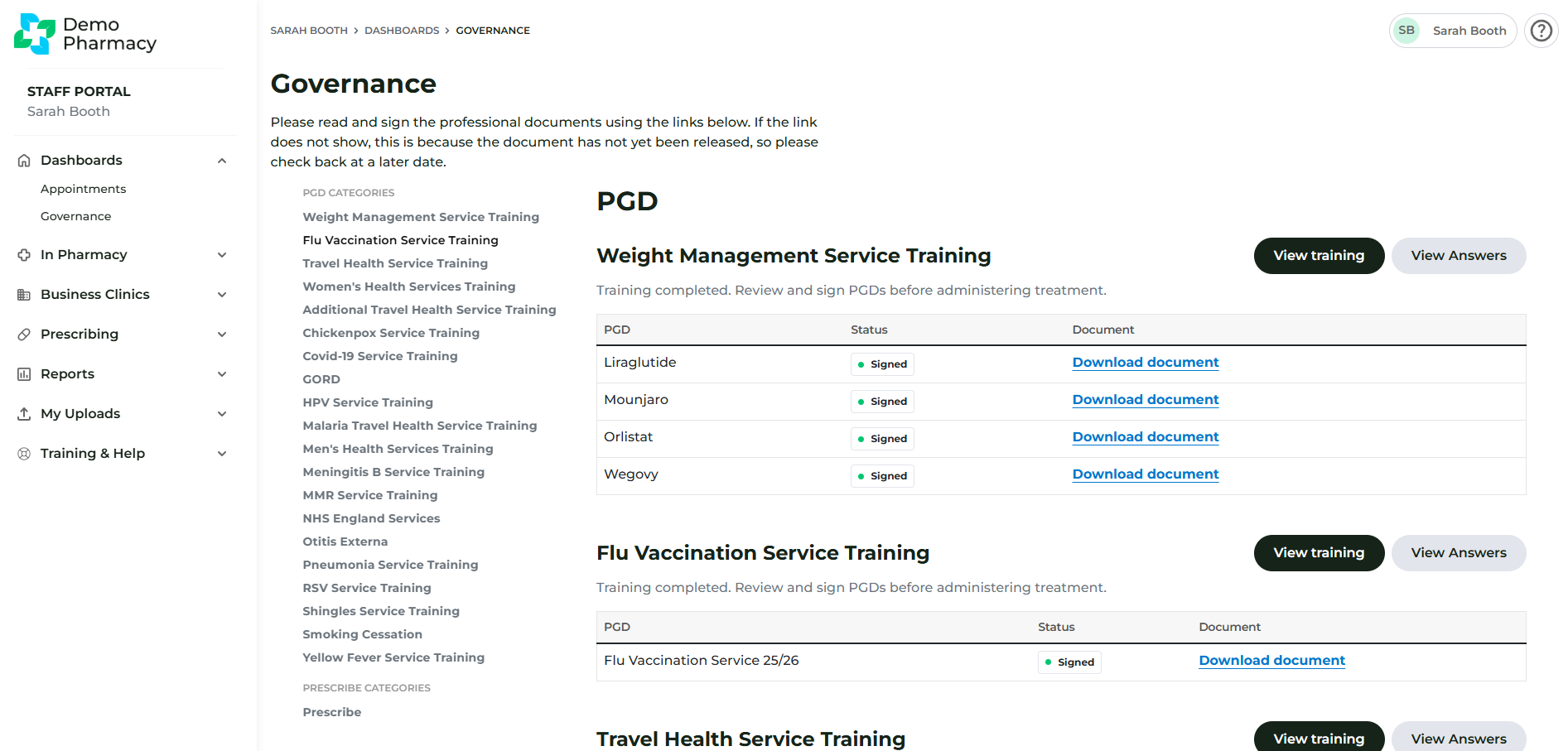
Click 'Start training now' for your chosen PGD category.
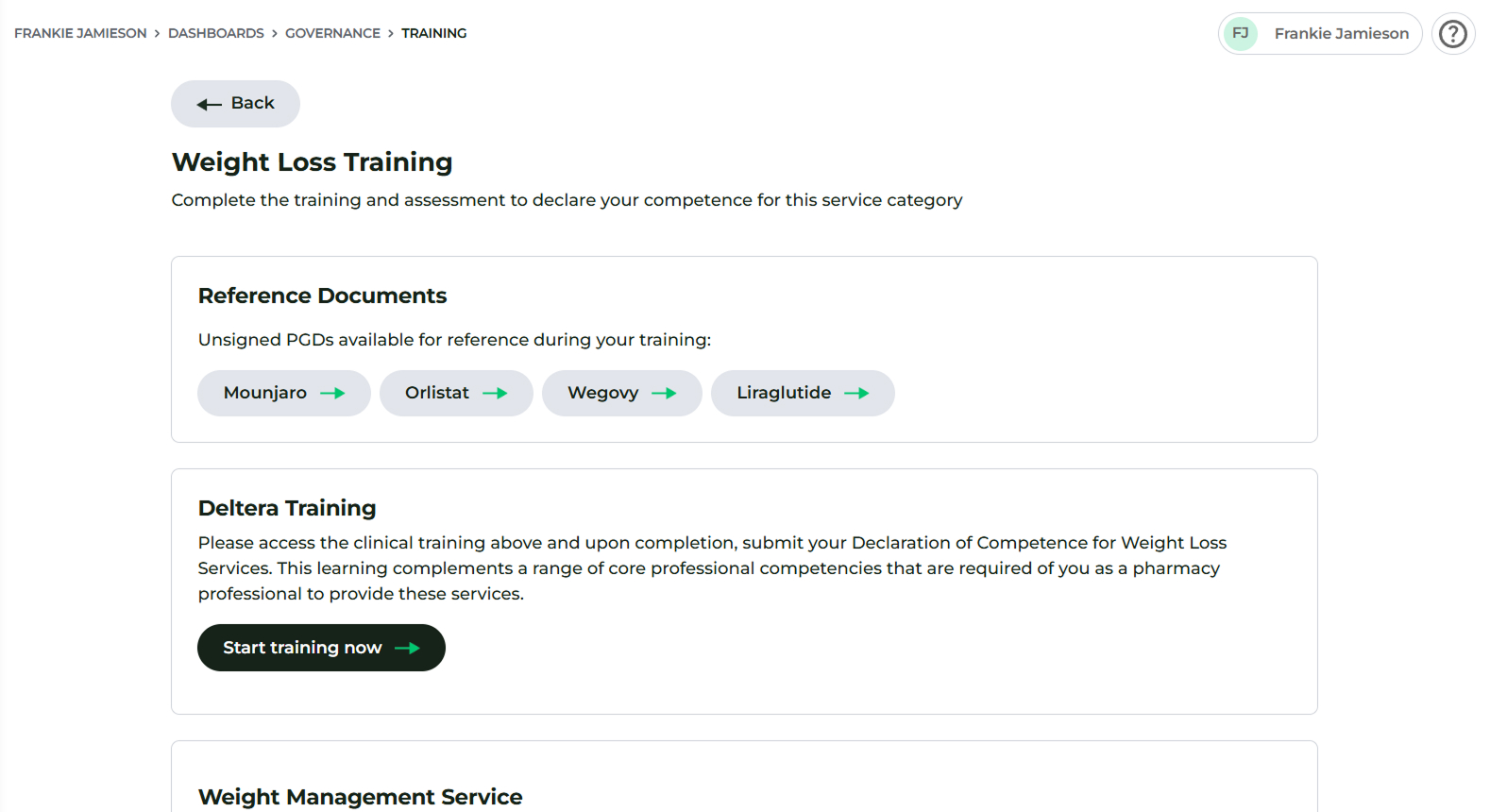
You can read unsigned PGD reference documents here.
Under the 'Deltera Training' section, press Start training now and review all training material carefully.
Once you have finished the material, complete the form to make your service declarations. To submit the form, press Declare competence.
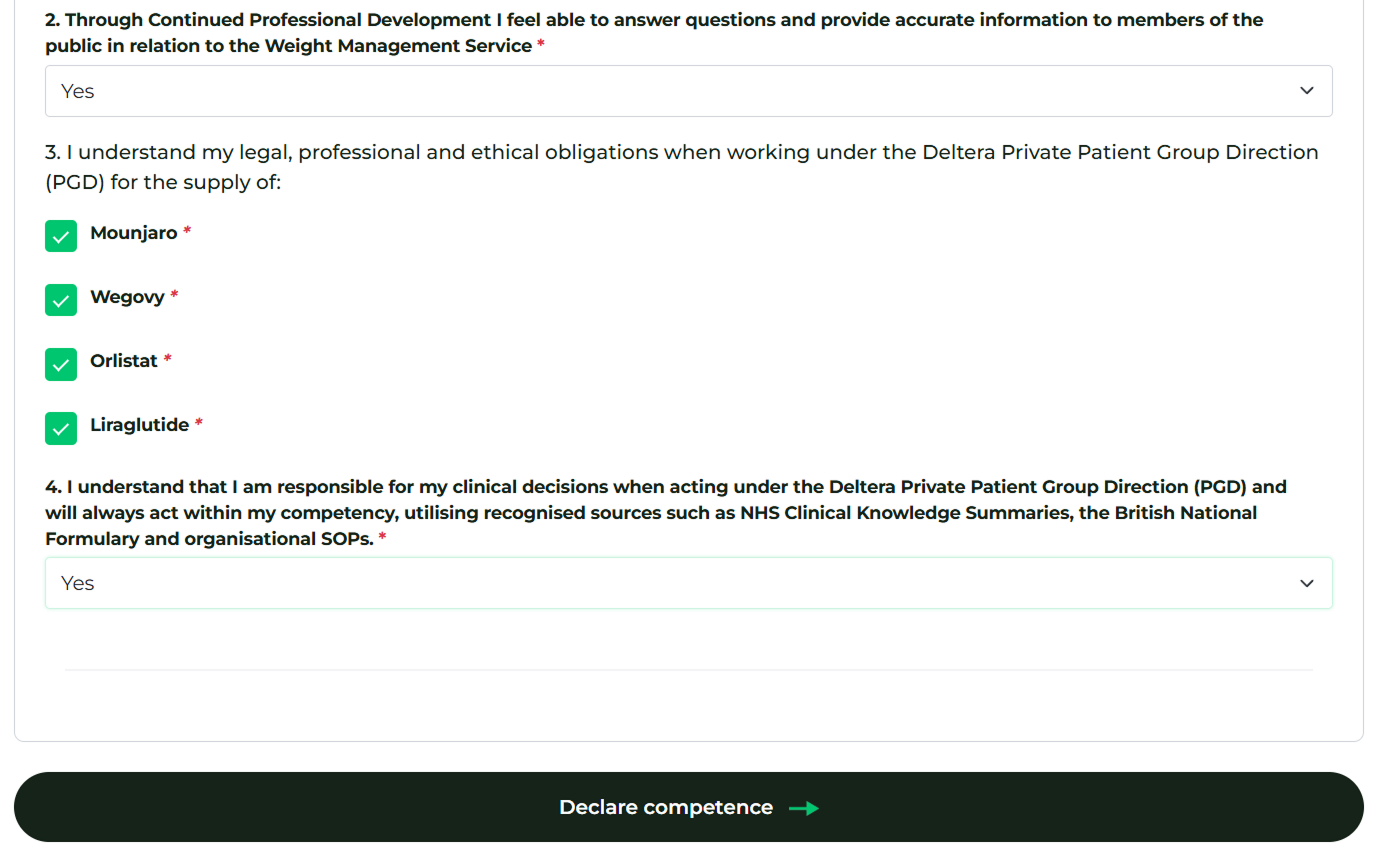
Repeat these steps for all the services you will offer.
Get in touch
For all technical enquiries and system support, please email us at:

Are you a Well pharmacist?
For technical enquiries and system support specific to Well Pharmacy locations, please email Central Support at:

Need to speak with someone?
For technical enquiries and system support specific to Uniphar Pharmacy locations, please email Central Support at:
