Managing Appointments in the Patient Portal
The Patient Portal provides your patients with a centralised dashboard to take control of their healthcare journey. Once logged in, the process of booking and managing clinical sessions becomes significantly more streamlined.
Booking a New Appointment
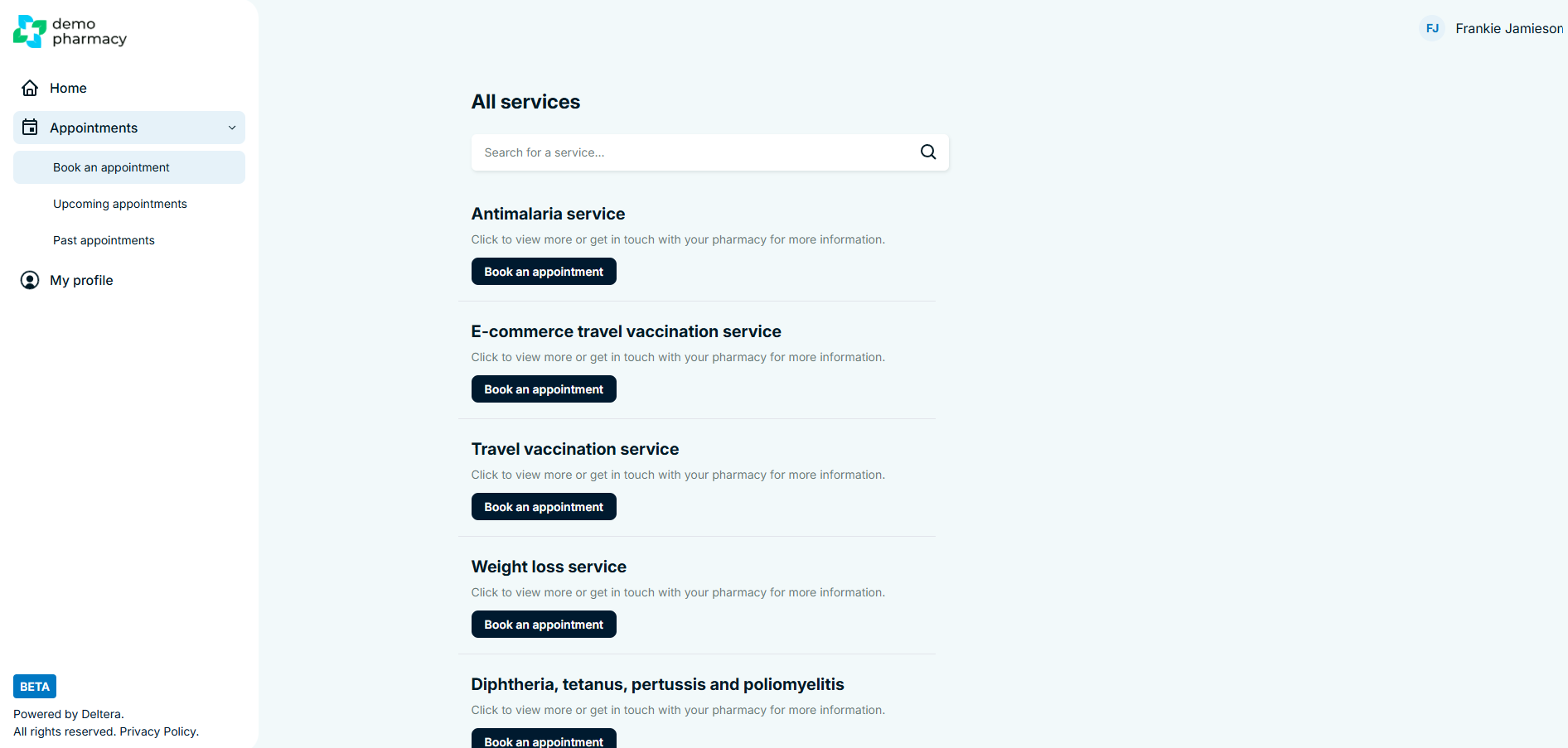
Patients can initiate a new booking directly from their portal home screen or the sidebar.
- Access: Click 'Book an appointment' on the left-hand sidebar or the homepage dashboard.
- Service Selection: Patients can browse services by category or scroll through the full list of individual services. A search bar is available to help them find specific treatments (e.g. "Pollen Allergy" or "Flu") quickly.
- The Booking Flow: Once they click 'Book an appointment' on a specific service, they are taken into the Deltera booking system for your pharmacy.
- Data Persistence: Critically, the patient will not have to re-enter their information. Because they are logged in, the system automatically pulls their name, date of birth, address, and GP details into the booking, allowing them to skip straight to the clinical pre-screen questions.
Tracking Upcoming Appointments
Patients no longer need to search through their email inboxes to find their appointment details.
- Visibility: All scheduled visits are displayed prominently on the portal homepage and under the 'Upcoming Appointments' tab in the left-hand navigation.
- Self-Service Actions: To reduce the administrative burden on your pharmacy staff, patients can manage their own schedule directly. From this screen, they have the option to:
- Cancel an appointment.
- Re-arrange the date or time.
- Book again for a recurring service.
Reviewing Past Appointments & Clinical Records
The portal acts as a permanent health record for the patient, which is particularly valuable for long-term treatments or vaccinations.
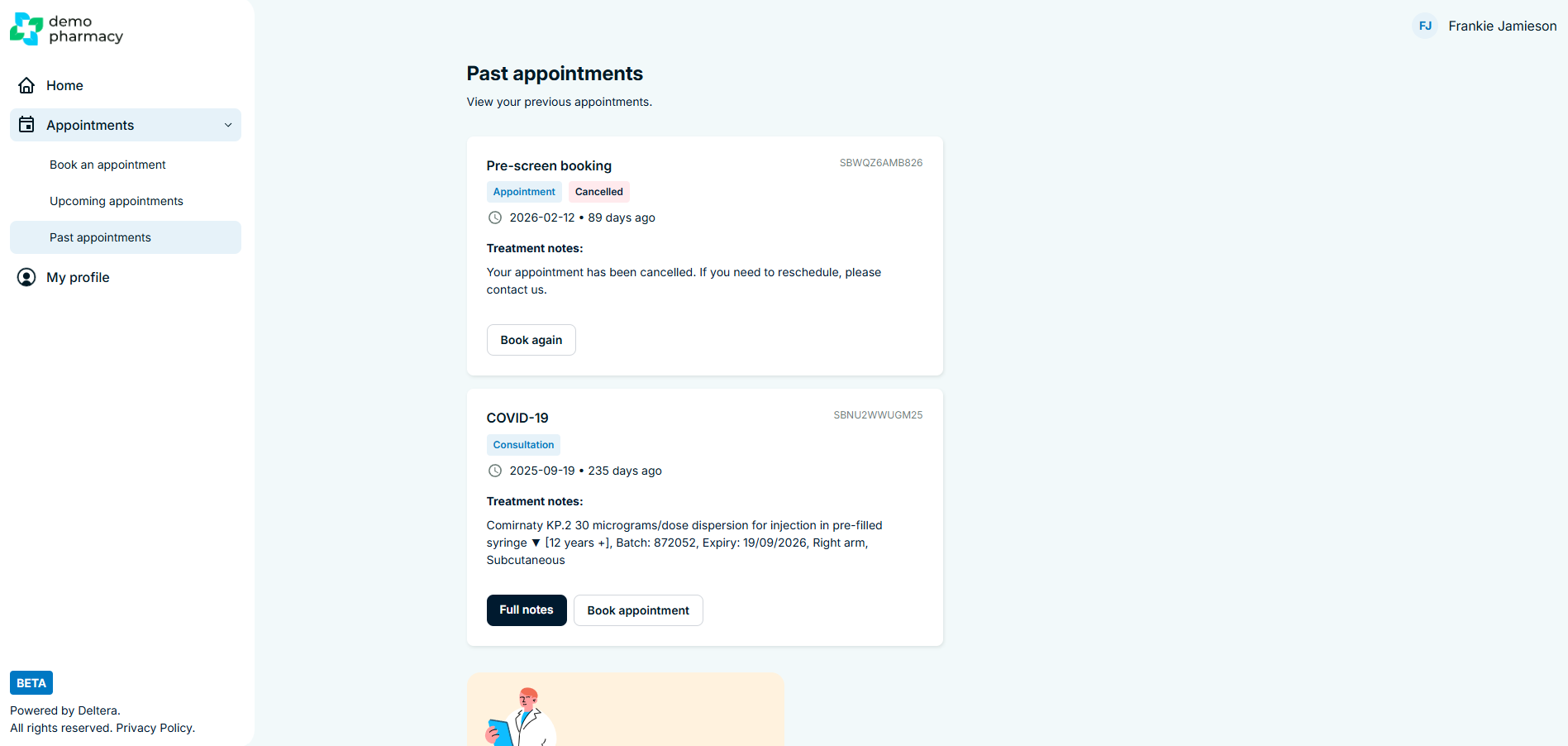
- The Archive: Under the 'Past Appointments' tab, patients can see a chronological list of every clinical interaction they have had with your pharmacy.
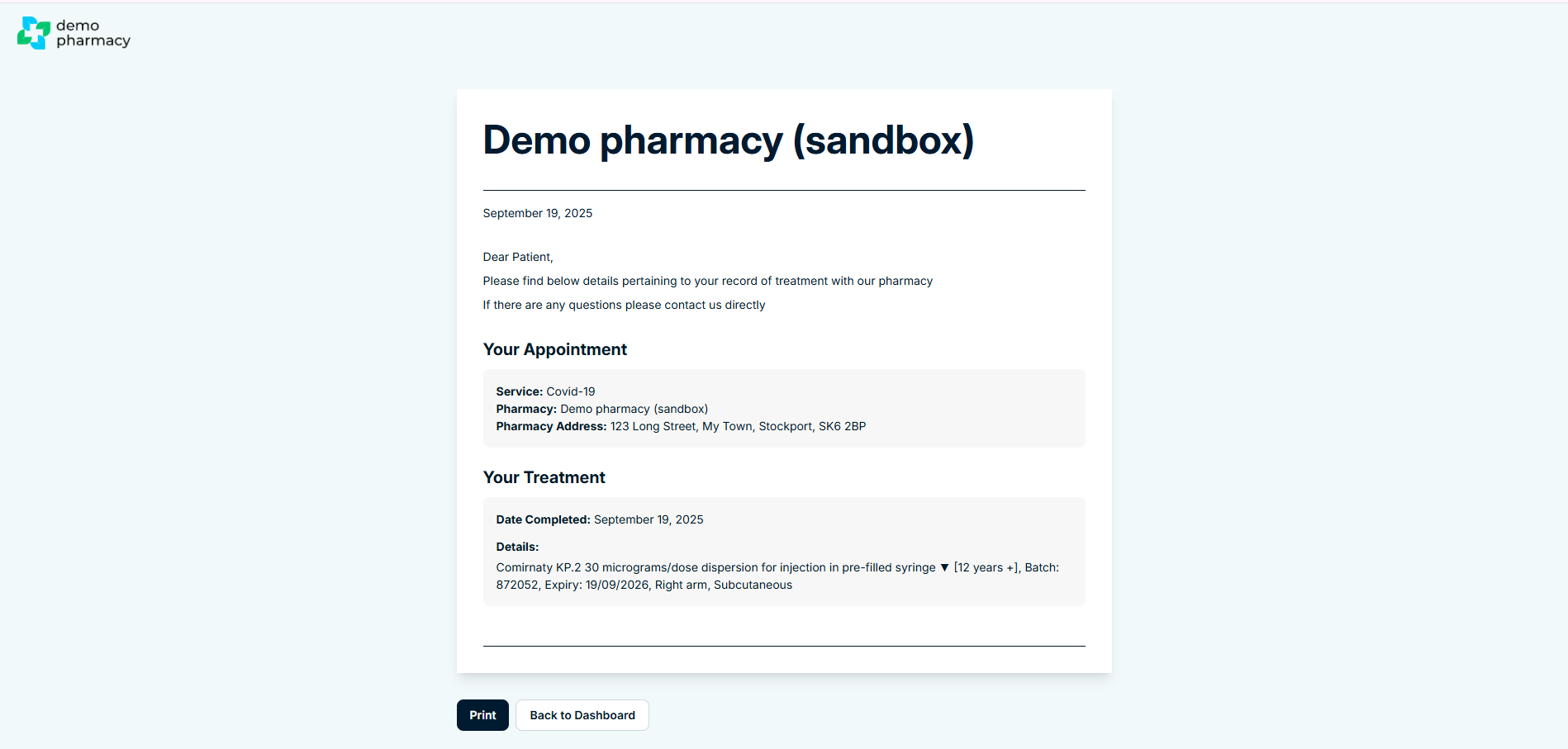
- Full Transparency: By clicking into a past appointment, the patient can view:
- The full consultation notes recorded during the session.
- Details of the treatment given or medication prescribed.
- Clinical Continuity: This feature is excellent for patients who need to provide proof of vaccination for travel or work, or for those who simply want to monitor their progress in services like Weight Management.
💡 Staff Tip: If a patient calls to ask what dose of medication they were on previously or when they had their last jab, remind them that this information is available 24/7 within their Patient Portal. This empowers the patient and frees up your phone lines for urgent clinical enquiries.
