Clinical Governance
As the Authorizing Manager, you can monitor the clinical compliance status of individual staff members and generate comprehensive governance reports across your entire organization.
Method 1: Checking Individual Staff Governance Status
Use this method to quickly verify the compliance of a specific staff member:
- Navigate to Staff > View staff.
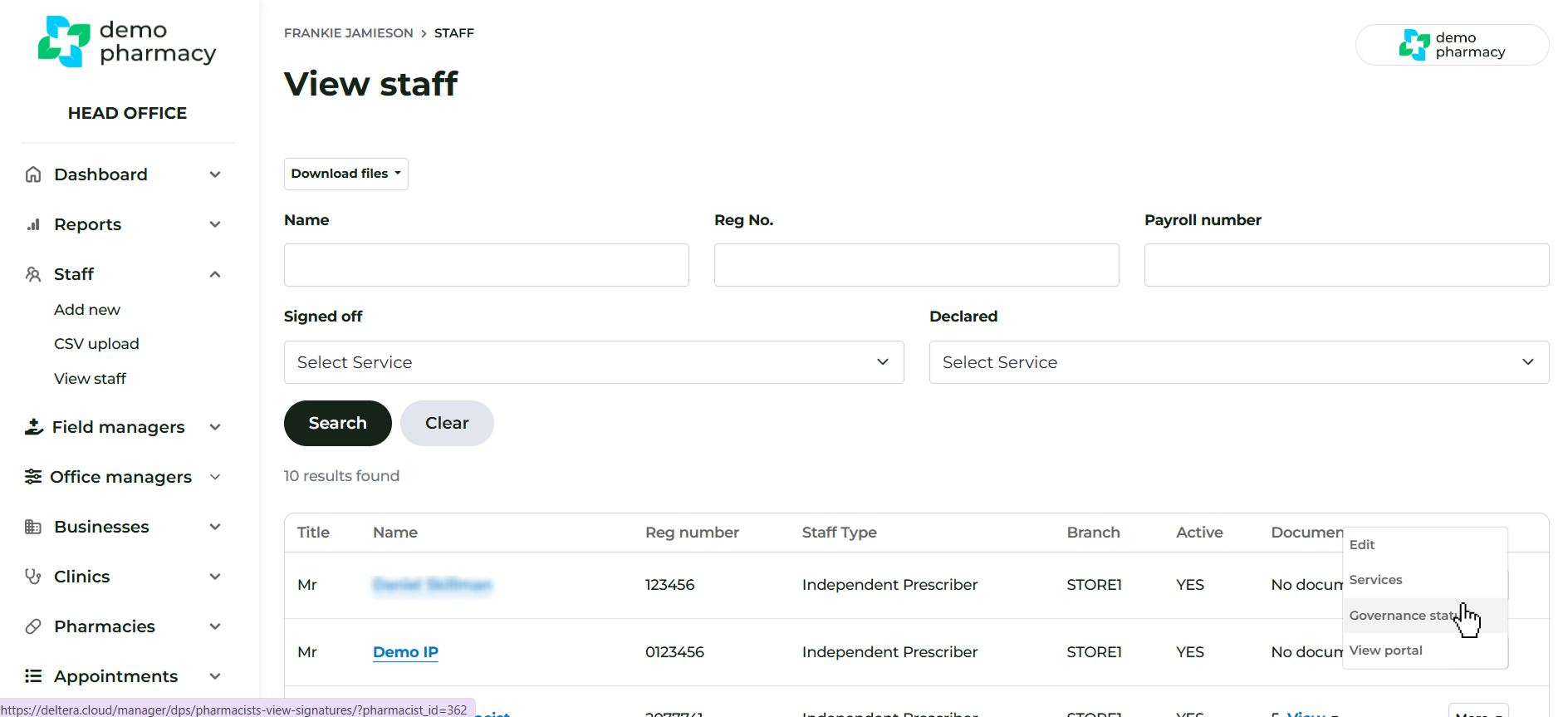
- Find the desired staff member and click ‘More’.
- Select ‘Governance Status’.
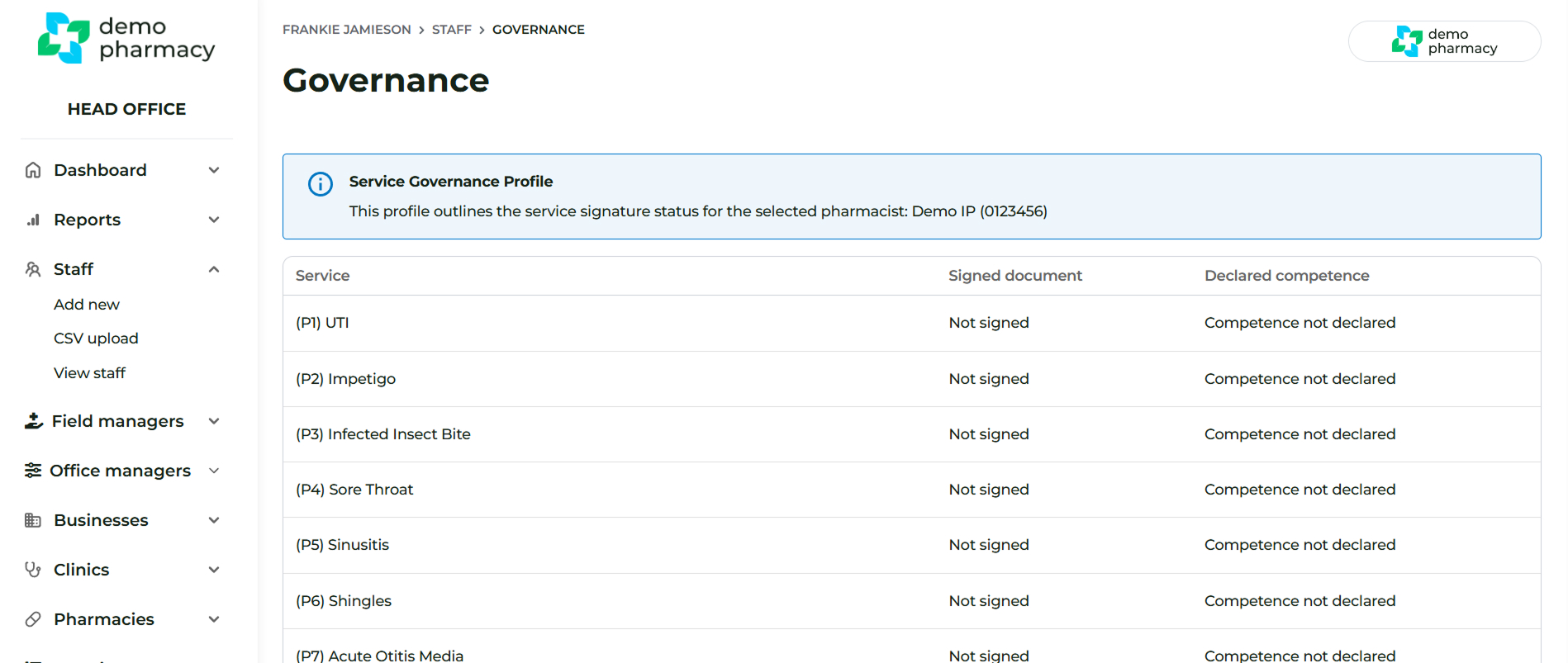
This page will present the compliance information, including:
- PGD Status (Not Yet Signed): Indicates the staff member still needs to sign a PGD.
- PGD Status (Signed): Displays the date and time of the signature, along with a link to the PDF document.
- Service Mapping: Indicates if the staff member hasn't been mapped to any service they are authorized to administer.
Method 2: Generating a Compliance Report
To generate a full report on the governance status of all staff members:
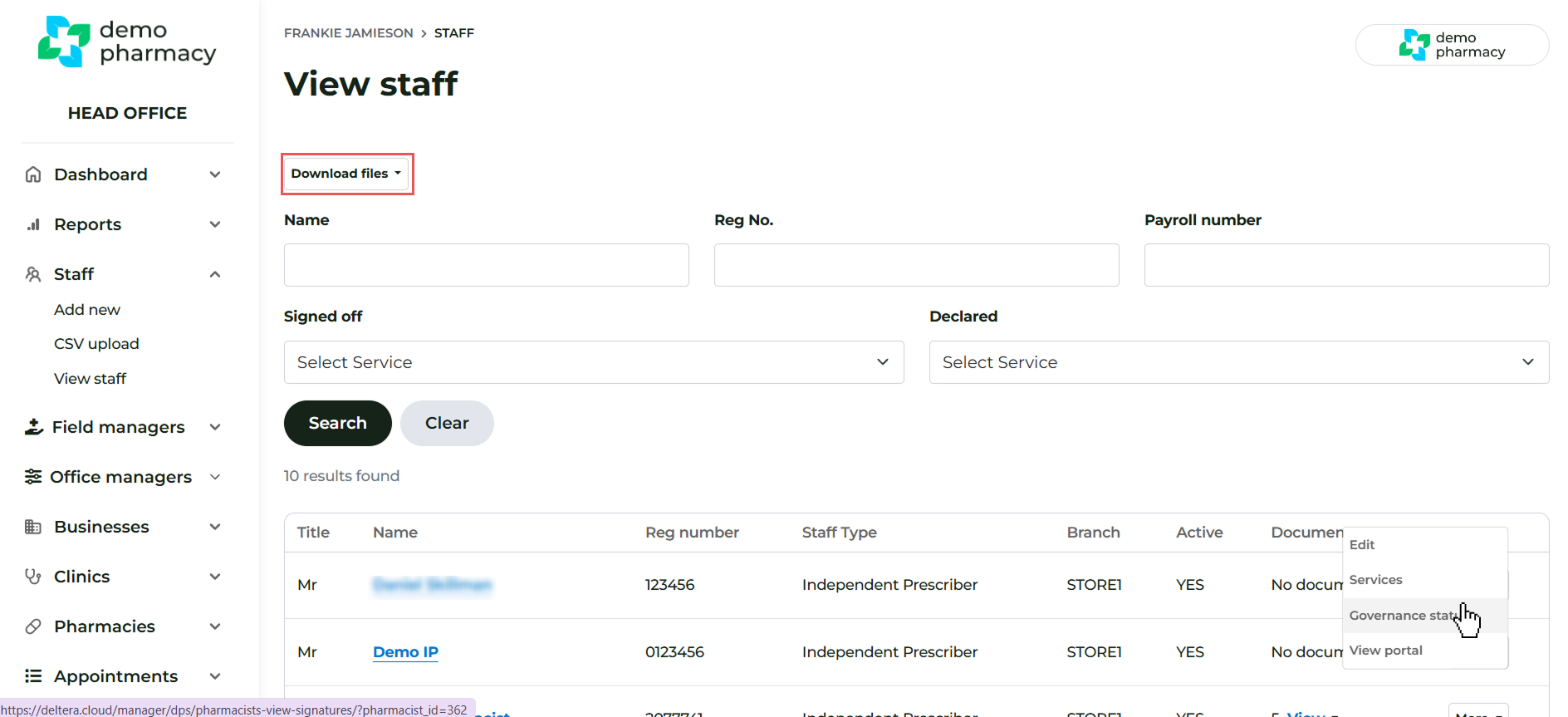
- From the View Staff page, click ‘Download files’.
- This action will export a CSV file.
- The CSV file provides a tabular version of the three compliance statuses listed above, covering all staff and all services.