Prescribe & submit
The final stage of the consultation is where you formalise your clinical decisions by issuing prescriptions and submitting the final record. This section ensures that all treatment provided is within the approved scope of your organisation and safely authorised.
1. Adding Prescriptions
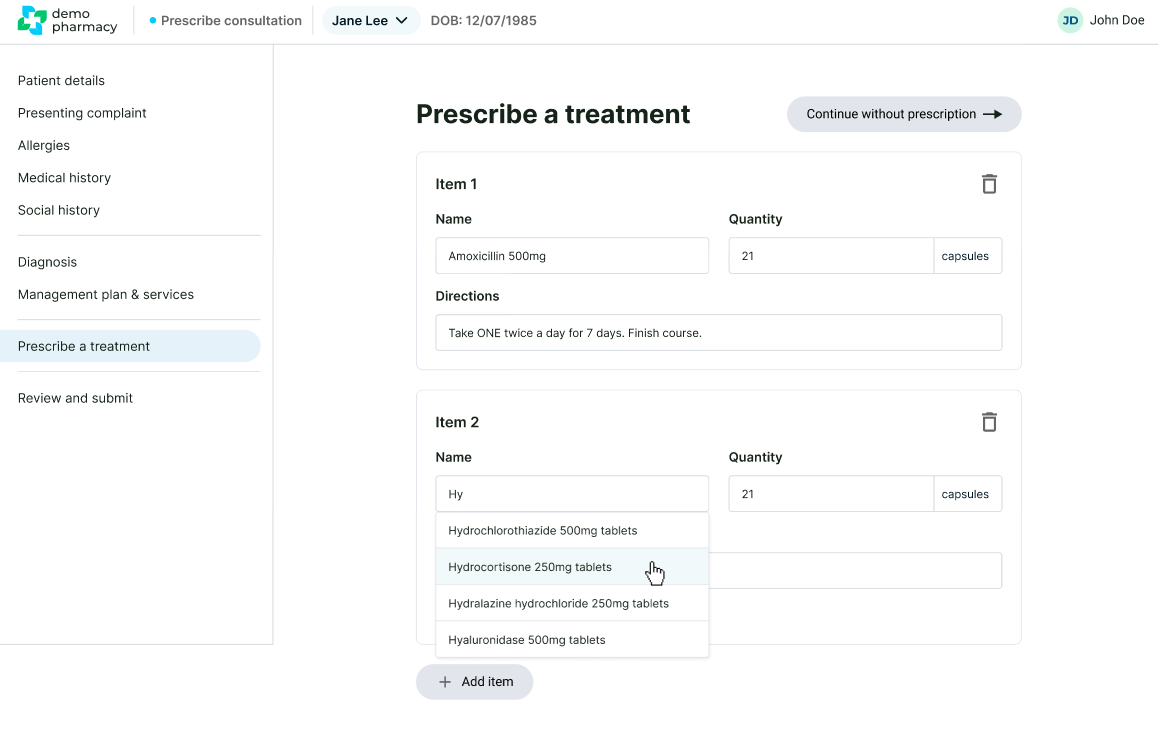
If your assessment indicates that medication is required, you can add one or more items to the record.
- Approved Formulary: To ensure clinical safety and compliance, you can only select drugs from your Head Office approved formulary. If a drug is not on this list, it cannot be prescribed through the platform.
- Required Fields: For every medication selected, you must provide:
- Quantity: The total amount of the medication to be dispensed.
- Directions: Clear instructions for the patient (e.g., "Take one tablet twice a day after food").
- Multiple Items: You have the flexibility to add multiple prescriptions to a single consultation if the patient’s condition requires a combination of treatments.
- Collection Point: Currently, prescriptions generated through the system are automatically sent to the current pharmacy branch where the consultation is taking place.
2. The Final Review
Before finalising the record, the system presents a comprehensive Review Screen. This is your opportunity to verify the entire clinical output of the session. The summary includes:
- All prescribed medications and their dosages.
- Your management recommendations and advice types.
- The specific safety netting instructions provided.
- Any internal service referrals initiated.
3. Authorising with Your Pin
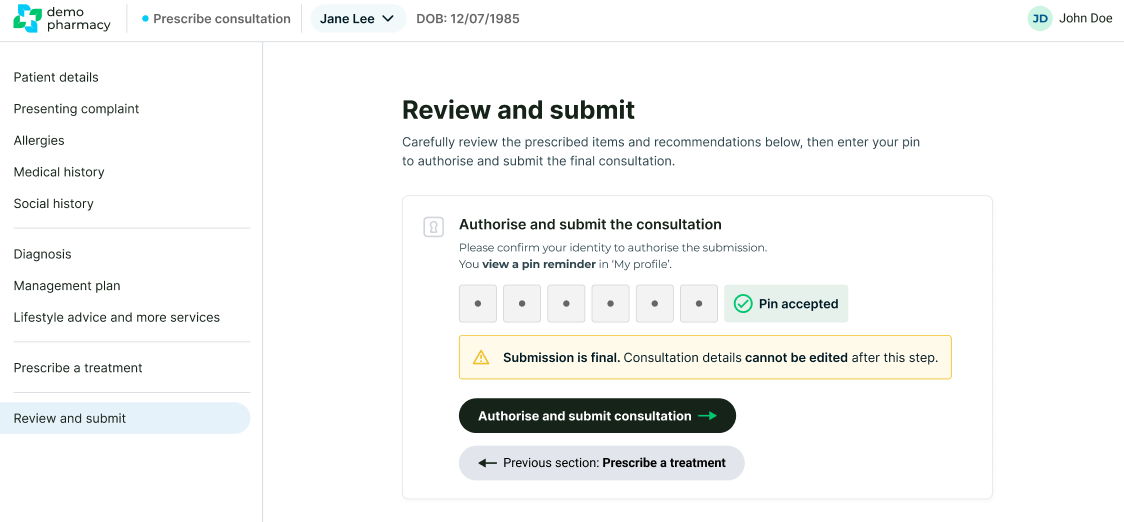
To legally sign off the consultation and issue the prescription, you must use your unique 6-digit Prescription Pin.
- Review the summary one last time.
- Enter your personal pin into the authorisation box.
- Click Submit.
⚠️ The Point of No Return
Important: Once a consultation is submitted, it is cryptographically locked. It CANNOT be edited or amended under any circumstances. This ensures the integrity of the clinical audit trail. Please ensure you have reviewed all details—especially drug dosages and patient information—thoroughly before entering your pin.
