Pharmacy walk-in - the patient is here for a follow-up appointment
Direct the patient to the follow-up pre-screen or, if needed, use previous records to complete the pre-screen for them.
Scenario 1: Patient Has Completed Follow-up Pre-Screen
This is the recommend process, and saves the most time for the pharmacy.
- If the patient has completed the pre-screen and has their reference code, please follow the steps outlined in the Pharmacy Walk-ins - The Patient Has Completed the Pre-Screen section.
Scenario 2: Patient Has Not Completed Follow-up Pre-Screen
The pre-screen process is preferred for all appointments, including follow-ups, to save staff time.
- If the patient has not completed the follow-up pre-screen, please ask them to complete it using the methods outlined on the Pharmacy Walk-ins - Patient Has Not Completed a Pre-Screen page.
Scenario 3: Staff-Assisted Follow-up Pre-Screen (Using Records)
If the patient is having trouble completing the follow-up pre-screen, you can assist them. If they have had a previous appointment at your current branch, you may be able to use their old records to speed up the process.
Check for Previous Consultation Records
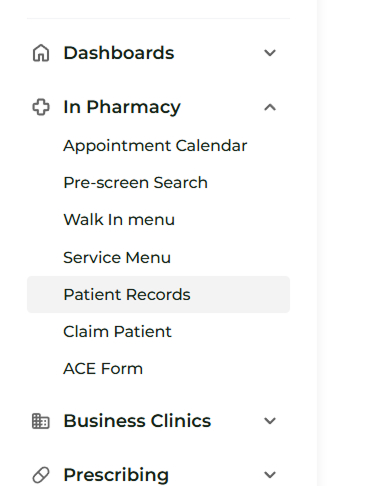
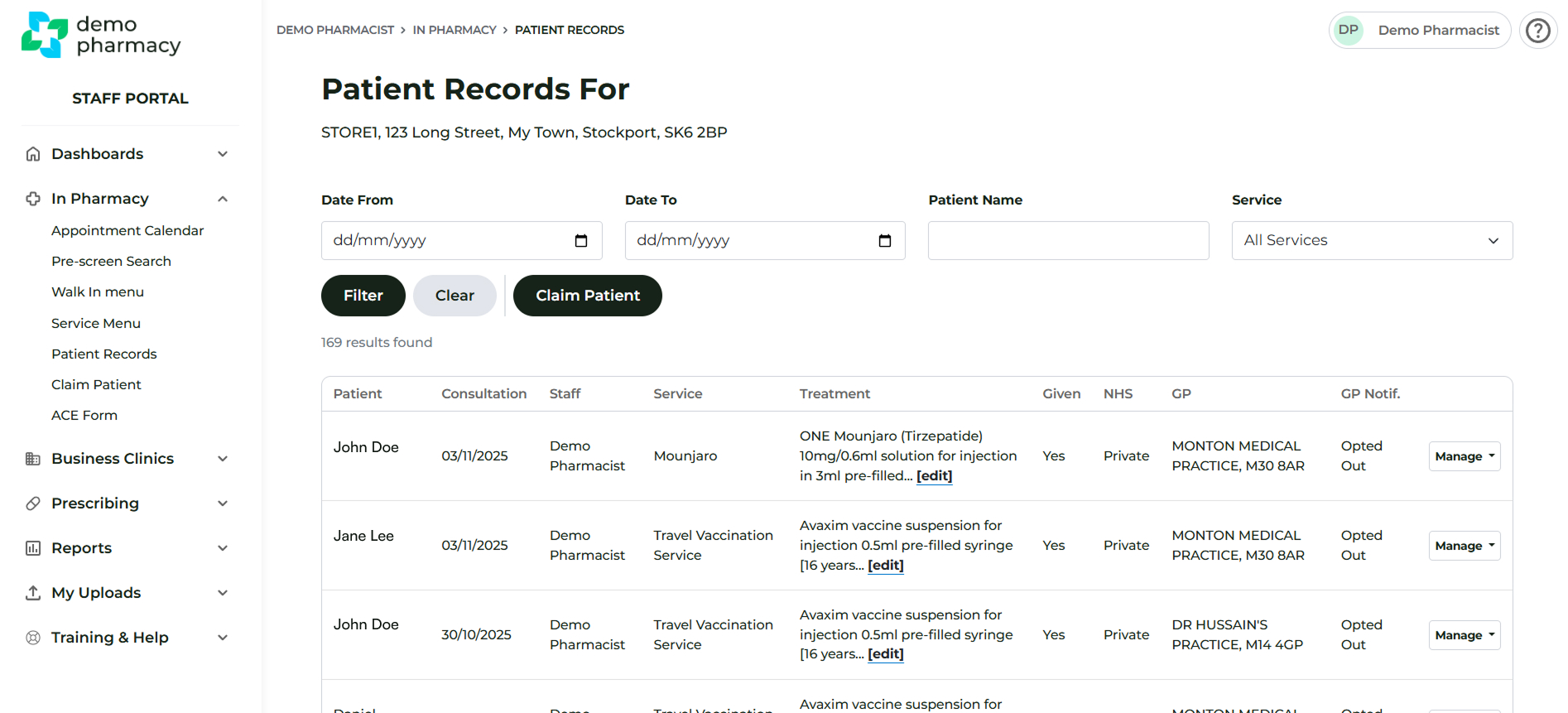
- Navigate to the Patient Records section.
- Attempt to locate the patient's previous consultation record.
Note: The length of time historic records are accessible at branch level is determined by Head Office. If records have timed out, you will not have access and should proceed to the next section (Standard Assisted Follow-up).
Using Previous Records for New Pre-Screen
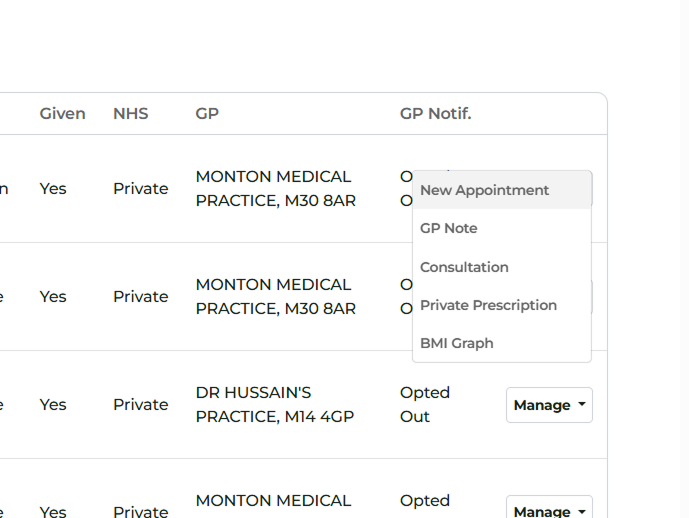
- If you locate the patient's previous consultation record, click Manage > New Appointment
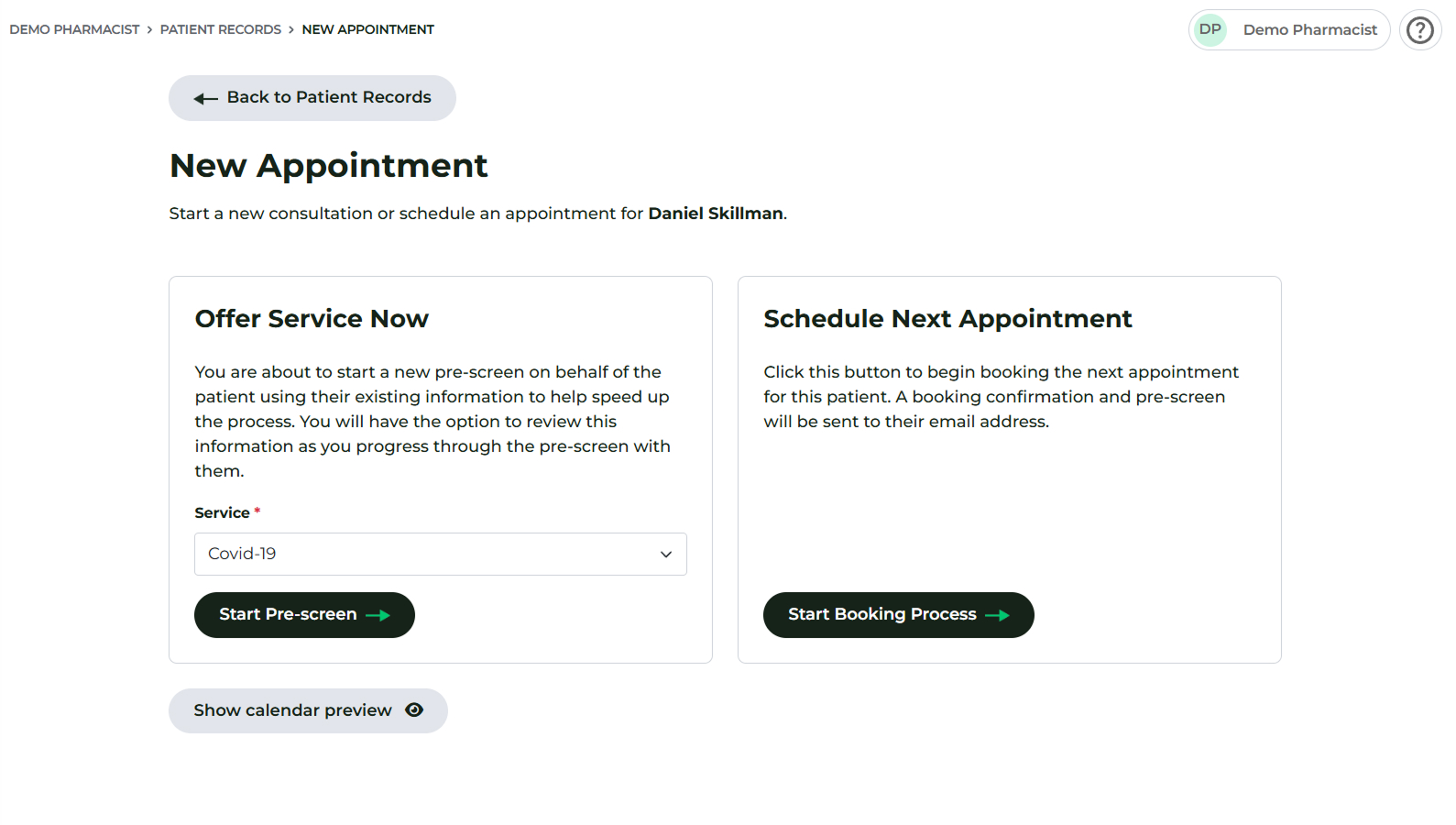
- This will give you the options to Offer Service Now or Schedule Next Appointment. If you are offering now, you can select the service you would like to proceed with.
- Under Offer Service Now, click Start Pre-screen. This action will pre-fill much of the information into a new pre-screen form.
- Review the pre-filled information with the patient for accuracy.
- Consult the Complete pre-screen for patient page for helpful tips on completing the pre-screen form.
Final Step for Assisted Pre-Screen
On completion of the pre-screen (either via existing records or manual entry), an "SB..." code will be issued.
- You must now follow the steps described in the Pharmacy Walk-ins - The Patient Has Completed the Pre-Screen page.
